# Claude desktop app
The Claude desktop app has a Connect row and an MCP bundle in Silan, neither proven yet.
:::caution[In testing]
The Connect row for the Claude desktop app and the `.mcpb` bundle exist in the current release. Neither is proven: the Claude desktop app was not installed on the Mac where Silan's connections are tested. Everything on this page comes from the code, not from a run.
:::
The Claude desktop app can reach your devices through `silan mcp`, Silan's MCP server, written into the app's MCP settings by the Silan app, or installed as an MCP bundle. Status: **in testing**.
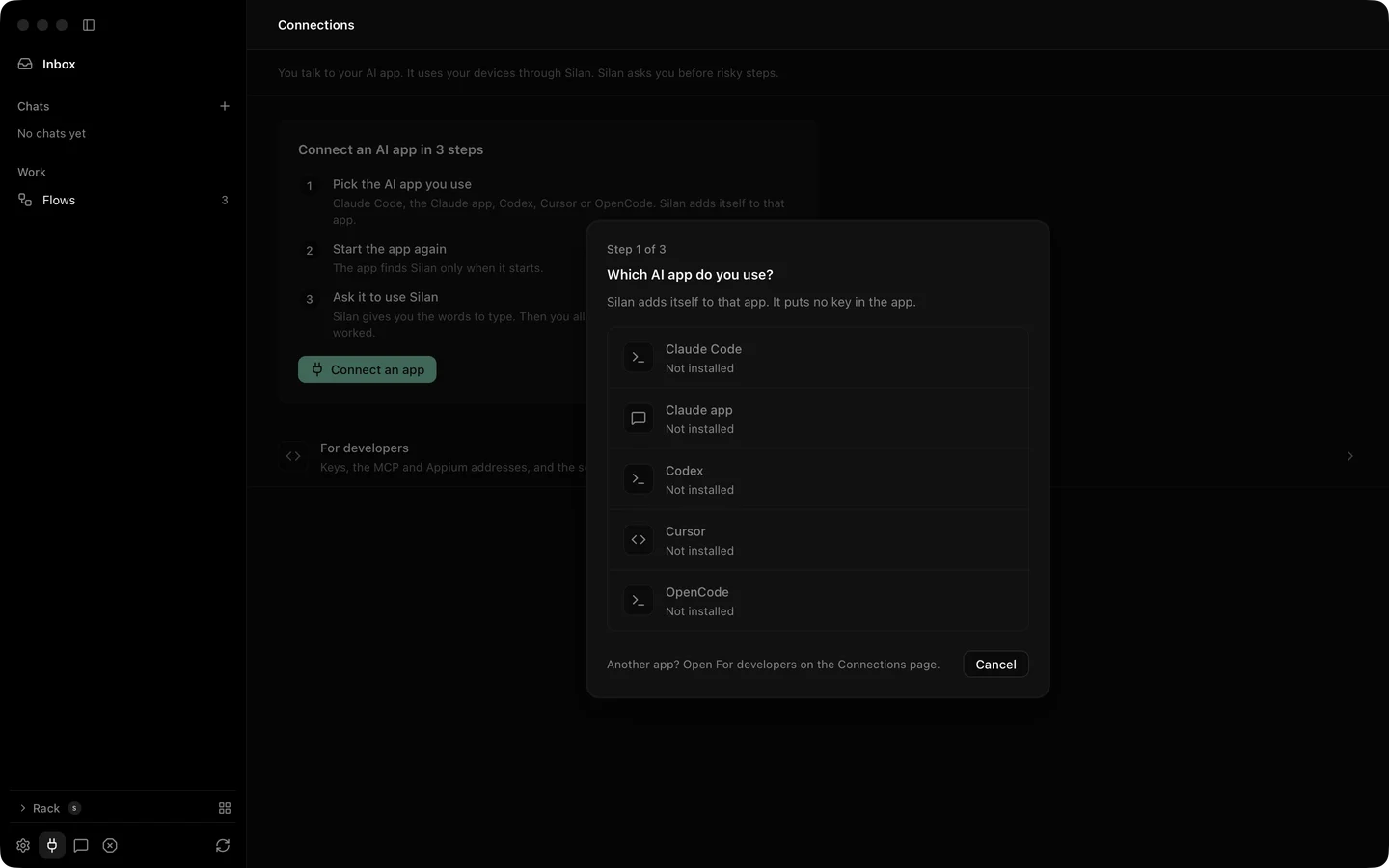
Connect an app, step 1 of 3, with the Claude app row reading Not installed.
## Setup
### One click from the Silan app
1. Open **Connections** in Silan's sidebar, or setup's **Your AI tools**. The Claude app row says **Connect** when the app is on this Mac, and **Not installed** otherwise.
2. Press **Connect an app**, then **Connect** on the Claude app row. There is no question about tool sets: the Claude app always gets the `core` set of 16 tools.
3. Silan writes one entry, `mcpServers.silan`, into `~/Library/Application Support/Claude/claude_desktop_config.json`:
```json
"silan": {
"command": "/Applications/Silan.app/Contents/Helpers/silan",
"args": ["mcp"],
"env": {}
}
```
Every other byte of the file stays, and the first change keeps a copy at `claude_desktop_config.json.silan-backup` beside it. No key is written.
4. Quit the Claude app and open it again. Press Command Q, then open it. A Claude app that was open before Connect does not see Silan.
5. Start a new chat and type `Use Silan to list my devices`. On its first tool call Silan should show **The Claude app wants to use your devices**, with who signed it, and the choices **Allow**, **Allow this time** and **Don't allow**.
### The MCP bundle
The Silan repository also holds an MCP bundle for the Claude app, `Plugins/claude-app`, with a `manifest.json` and a launcher `server/silan-mcp`. From a copy of the repository:
```sh
Plugins/Tools/build-mcpb.sh
```
It writes `.build/plugins/silan.mcpb`. Open that file with the Claude app and confirm. The install dialog has one setting, **Tool set**: `core` (default), `testing` or `full`. The bundle lists the 16 core tools. The launcher looks for `silan` at `SILAN_CLI`, on the PATH, at `~/.local/bin/silan`, then inside `/Applications/Silan.app` and `~/Applications/Silan.app`, and runs `silan mcp --profile `.
## Try it
Once connected, a first prompt for a new chat:
```text
Use Silan to list my devices.
```
You should see the Allow sheet in Silan on the first call, then a list of your devices in the chat. If nothing comes, check that you quit the Claude app and opened it again after Connect.
## Limits
- Not yet proved on a real device, and not yet proved with the app at all. The Connect row was never pressed with the Claude app installed, and installing `silan.mcpb` was not tested because it would change the tester's own Claude app.
- The bundle's manifest was not checked with the official bundle tool.
- The Claude app sends some object arguments, such as a tap's `target`, as JSON text. Silan reads them as the object. This is covered by an engine test with no phone. A tap from the real Claude app on a phone is owed.
- The Claude app always gets the `core` set over Connect. For the `testing` or `full` set, use the bundle's **Tool set** setting.
- Silan must be open on this Mac to ask you. With Silan closed, the call ends at once with **Open Silan on this Mac to allow the Claude app**.
- A risky step answers `APPROVAL_REQUIRED` until you say yes in Silan. See [Safety](/safety/).