# QA on real iPhones and iPads
Run flows on real iPhones and iPads, watch the run live, read a report with a picture per step, run again from the step that failed, and let runs wait for a busy phone.
App testers want their flows to run on the phones people own, not only on simulators. Silan runs a saved flow on a real iPhone or iPad plugged into the Mac, shows the run live, keeps a picture of every step, and writes a report you can share. When a step fails, you fix it and run again from that step. When the phone is busy, the run waits in line. The same flows run on Xcode simulators Silan makes and on Android emulators.
## A worked example
You test MegaMart, a shopping app. Your flow `megamart-cart` has six steps: open MegaMart, tap the words **Search**, type `desk lamp`, tap the first result, tap **Add to cart**, then a check that the cart badge reads `1`.
You press **Run** on the flow's page and pick the iPhone. The run opens in the live view: the step list on the left ticks through, and the phone's picture on the right shows each tap as it lands. Step 5 fails. The report's headline says `Failed at step 5 of 6`, and step 5's picture shows a sheet asking for a size that your flow did not expect. You add a step that taps **Medium**, save, and press **Run again from step 5**. The report now reads `Passed: steps 5 to 7 on 1 phone`, with step 1 to 4 marked as skipped, not done.
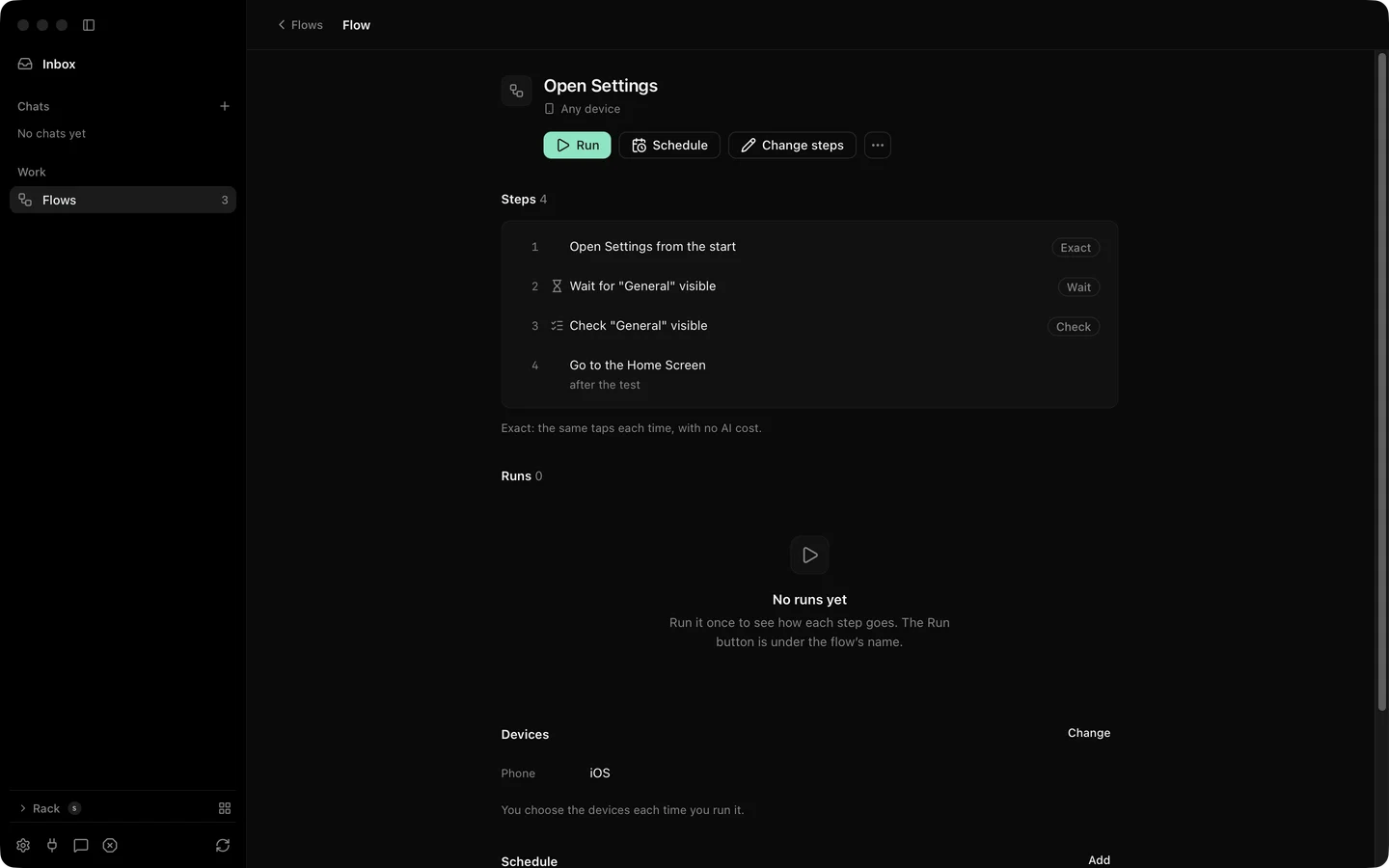
A flow page with its steps, runs, devices and schedule.
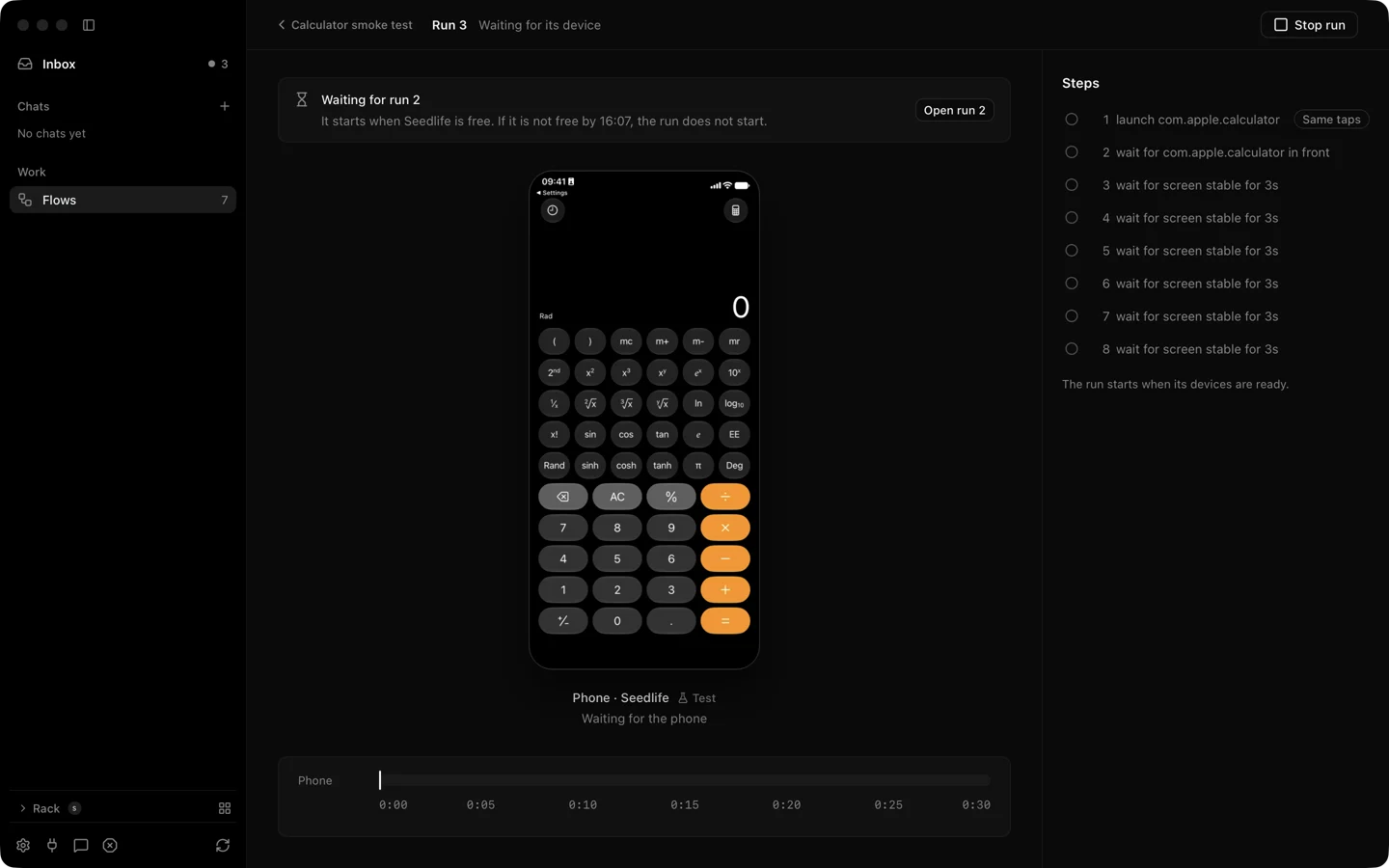
A second tester starts their flow on the same iPhone while yours is going. Their run shows **Waiting for** your run with its place in the line, and starts when yours ends.
## Steps
1. Plug the iPhone or iPad in and set it up with the Developer way for exact taps and the element list ([Devices](/devices/)). The Simple way runs flows too, with taps through a pointer.
2. Write the flow as a file, or finish a task in a chat and keep it as a flow. Each action becomes an exact step, and an agent step covers what exact steps cannot ([Flows](/features/flows/)).
3. Open the flow and press **Run**. Pick a device for each role. Set how long the run may wait for a busy phone, up to 4 hours.
4. Watch the run live. Stop Everything (Control Option Command Period) holds the run where it is, and **Resume** lets it go on ([Test runs](/features/test-runs/)).
5. Read the report. Share or download it as one HTML file with every picture inside. The run's folder also holds JUnit and JSON files.
6. If a step failed, change it and press **Run again from step N**.
The spec has `run_scenario`, `get_run` and `get_report` ([MCP tools](/reference/mcp/)) and a `silan run` command with `--junit`, `--html` and `--report-json`. On the current release the engine answers all of them with `the scenario engine is not available in this engine` (seen 4 Nov 2026), so start runs in the app and collect the files from the run folder.
## What is supported today
| What | Status |
|---|---|
| Flows on a real iPhone or iPad, live run view, report with a picture per step | Supported |
| Run again from a step, runs that wait for a busy phone | Supported |
| An agent step inside a flow | Supported |
| HTML report with pictures, JUnit and JSON files in each run folder | Supported |
| Screen recording of the run to an MP4 file, password fields masked | Supported |
| Clipboard read and set on a real iPhone | Supported |
| Element list and rotation on a real iPhone or iPad | Supported with the Developer way only |
| Location, text size, rotation, test pushes on Xcode simulators Silan makes | Supported |
| Install your own build on a real phone through Silan | In testing |
| Flows on an Android emulator | Supported |
| Flows on an Android phone or tablet | In testing |
| Your own existing Xcode simulators | Coming soon |
| Flow runs from the `silan` command | In testing (a preview) |
:::note[Proof]
Proved on an iPhone 11 (iOS 27) on a cable, 14 Oct 2026, by a Silan worker: run `run_5hvm668trq` passed 8 of 8 with 8 step pictures, and its HTML report (about 146 KB, every picture inside) opened from a fresh folder with all pictures loading. Same device and date: a run that failed at step 2 and two runs from step 2 that passed, with step 1 skipped. Waiting in line proved on 15 Oct 2026 on the same iPhone: a second run queued at position 1 and passed when the first ended. Screen recording proved on the same iPhone on 29 Oct 2026 and 4 Nov 2026. Clipboard proved on 15 Oct 2026. Source: verify-silan feature map, test-runs, api and control.
:::
Two runs on one phone: run 3 waits for run 2, says when it gives up, and offers Open run 2.