Features
Connections
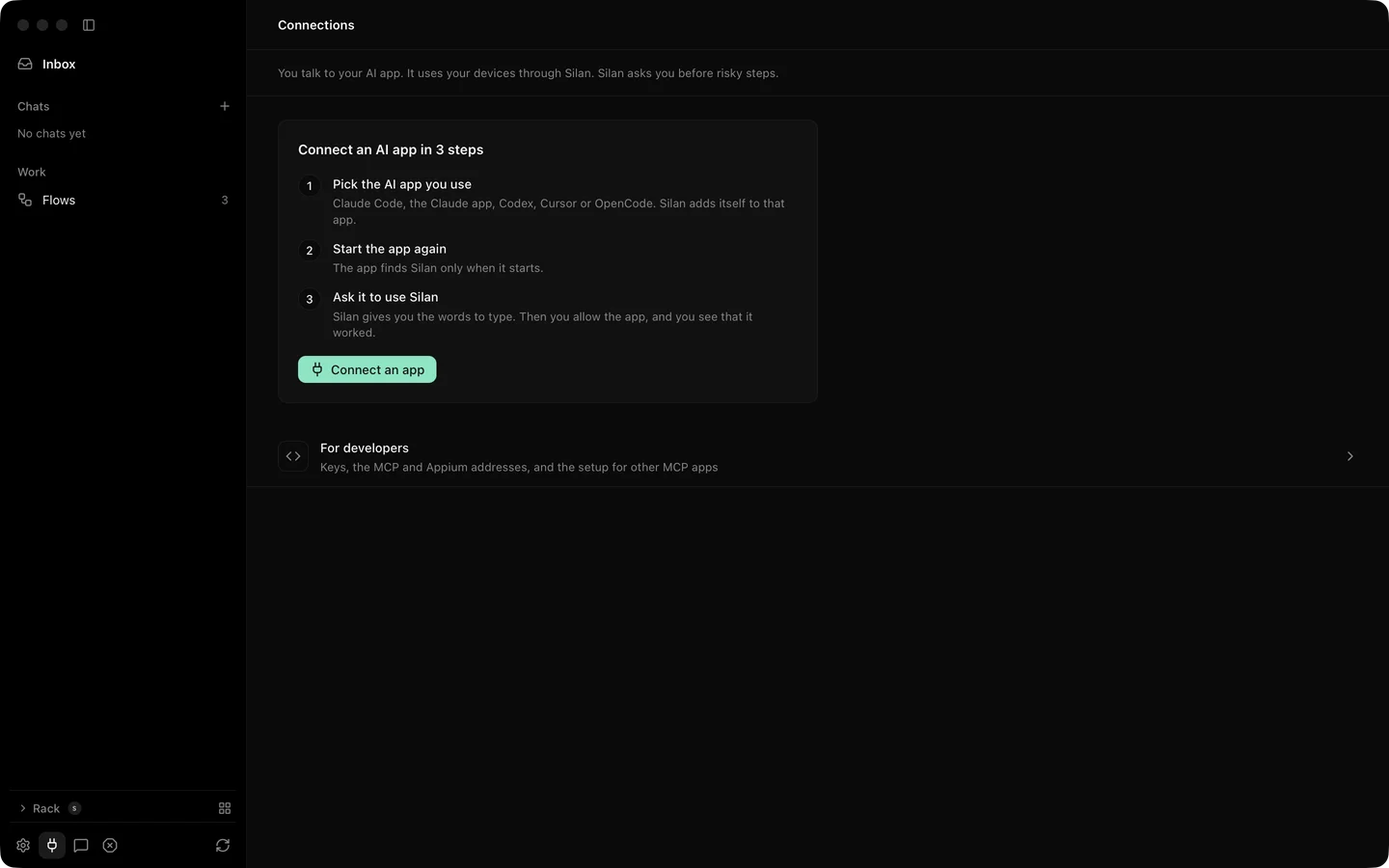
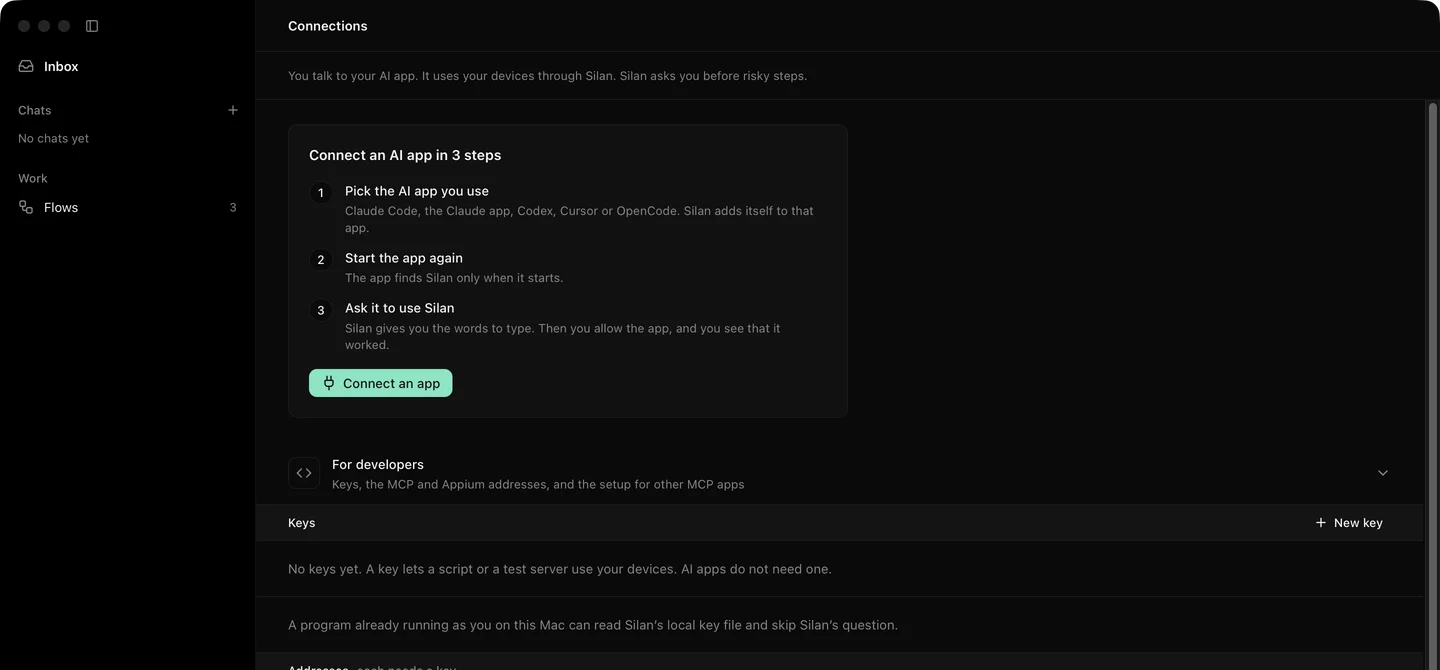
The Connections page is where an AI app on this Mac gets its hands on your devices. One click writes Silan into the app’s MCP settings. The first time the app calls a tool, Silan asks you once whether to allow it. A fold at the bottom, For developers, holds API keys and the addresses and setup text for anything that is not on the list.
What it does
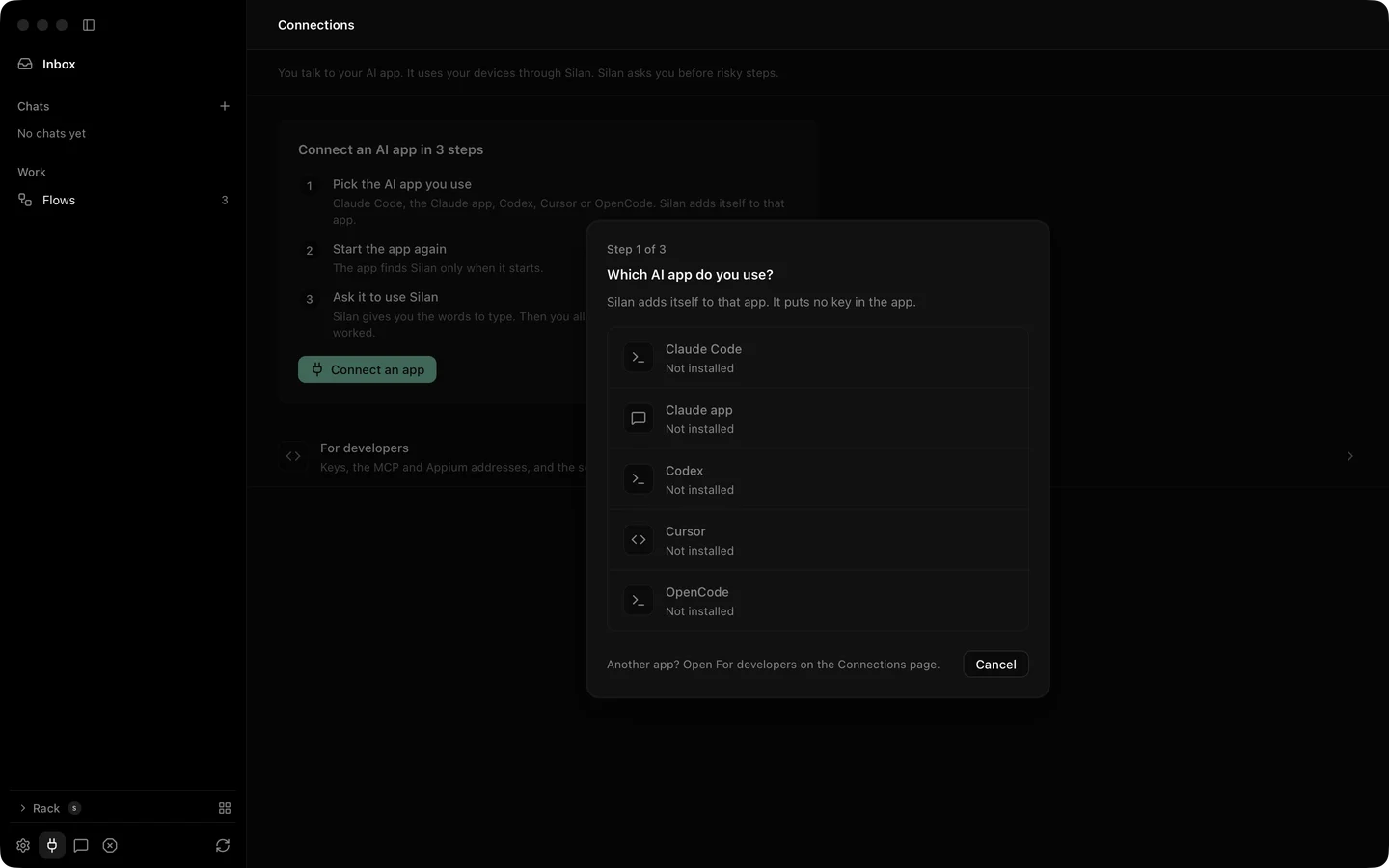
Section titled “What it does”The page opens with a card, Connect an AI app in 3 steps, and a row per app with its state.
| App | State in the current release |
|---|---|
| Claude Code | Supported. Connect writes ~/.claude.json. |
| Codex | Supported. Connect writes ~/.codex/config.toml. |
| Cursor | Supported. Connect writes ~/.cursor/mcp.json. |
| OpenCode | Supported. Connect writes ~/.config/opencode/opencode.json. |
| Claude app | In testing. |
Each row reads Not installed, Installed · not connected with Connect, or Connected · not tested yet with Test. Connect writes the absolute path of silan mcp and no key, since a program on this Mac is known by its signature. A coding app is asked Do you test your own app with
The first tool call from a connected app shows Allow, Allow this time and Don’t allow. A refusal holds for 10 minutes. A program with no signature gets only Allow this time. If the app waits more than 45 seconds for your answer it is told why.
Manage on a connected row shows which phones the app may use, whether it may run flows and install builds, the safety switch read-only, its last two Activity rows and Disconnect, which removes the config it wrote.
For developers holds:
- API keys. New key asks for a name of up to 80 characters, every phone or some, and an expiry of 30 days, 90 days, 1 year or never. The key is shown once, with Copy, and only Done closes the sheet. Revoke ends it at once: the next REST, MCP or WebDriver call gets
401and open streams end. The Mac’s own local key is not listed and cannot be revoked. - The MCP and WebDriver addresses on this Mac.
- The setup text for other apps, with Copy, for any MCP client that is not on the list.
- A line that says the Python library and remote access come later.
Step by step
Section titled “Step by step”- Open Connections. Find your app’s row. If it reads Not installed, install the app first.
- Click Connect. Answer Do you test your own app with
? . - Quit the app and open it again, then type Use Silan to list my devices.
- When Silan asks, click Allow. The row now reads Connected.
- For your own program, open For developers and click New key. Copy the key before you click Done.
The same setup by hand, the claude mcp add line, the key in SILAN_API_KEY and the Codex plugin are on use Silan from your agent.
Limits
Section titled “Limits”- The Claude app row, the notice banner for a connected app’s first call, and a connected app acting on a phone from this page were proved by unit tests and offscreen pictures. Not yet proved on a real device.
- Connections are for apps on this Mac. Remote access and the Python library are coming soon.
- A revoked key cannot be brought back. Make a new one.