Integrations
Claude desktop app
The Claude desktop app can reach your devices through silan mcp, Silan’s MCP server, written into the app’s MCP settings by the Silan app, or installed as an MCP bundle. Status: in testing.
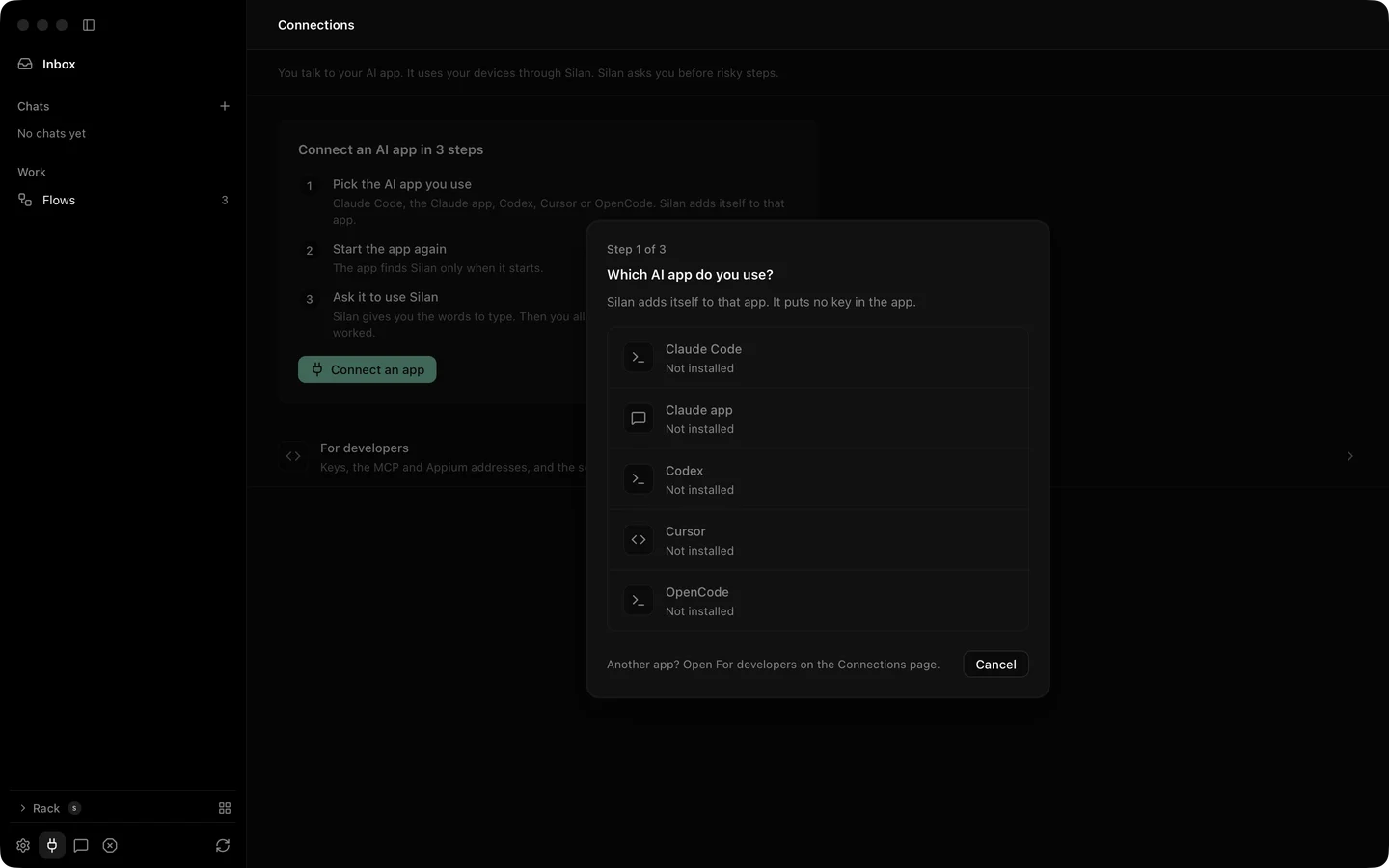
One click from the Silan app
Section titled “One click from the Silan app”-
Open Connections in Silan’s sidebar, or setup’s Your AI tools. The Claude app row says Connect when the app is on this Mac, and Not installed otherwise.
-
Press Connect an app, then Connect on the Claude app row. There is no question about tool sets: the Claude app always gets the
coreset of 16 tools. -
Silan writes one entry,
mcpServers.silan, into~/Library/Application Support/Claude/claude_desktop_config.json:"silan": {"command": "/Applications/Silan.app/Contents/Helpers/silan","args": ["mcp"],"env": {}}Every other byte of the file stays, and the first change keeps a copy at
claude_desktop_config.json.silan-backupbeside it. No key is written. -
Quit the Claude app and open it again. Press Command Q, then open it. A Claude app that was open before Connect does not see Silan.
-
Start a new chat and type
Use Silan to list my devices. On its first tool call Silan should show The Claude app wants to use your devices, with who signed it, and the choices Allow, Allow this time and Don’t allow.
The MCP bundle
Section titled “The MCP bundle”The Silan repository also holds an MCP bundle for the Claude app, Plugins/claude-app, with a manifest.json and a launcher server/silan-mcp. From a copy of the repository:
Plugins/Tools/build-mcpb.shIt writes .build/plugins/silan.mcpb. Open that file with the Claude app and confirm. The install dialog has one setting, Tool set: core (default), testing or full. The bundle lists the 16 core tools. The launcher looks for silan at SILAN_CLI, on the PATH, at ~/.local/bin/silan, then inside /Applications/Silan.app and ~/Applications/Silan.app, and runs silan mcp --profile <tool set>.
Try it
Section titled “Try it”Once connected, a first prompt for a new chat:
Use Silan to list my devices.You should see the Allow sheet in Silan on the first call, then a list of your devices in the chat. If nothing comes, check that you quit the Claude app and opened it again after Connect.
Limits
Section titled “Limits”- Not yet proved on a real device, and not yet proved with the app at all. The Connect row was never pressed with the Claude app installed, and installing
silan.mcpbwas not tested because it would change the tester’s own Claude app. - The bundle’s manifest was not checked with the official bundle tool.
- The Claude app sends some object arguments, such as a tap’s
target, as JSON text. Silan reads them as the object. This is covered by an engine test with no phone. A tap from the real Claude app on a phone is owed. - The Claude app always gets the
coreset over Connect. For thetestingorfullset, use the bundle’s Tool set setting. - Silan must be open on this Mac to ask you. With Silan closed, the call ends at once with Open Silan on this Mac to allow the Claude app.
- A risky step answers
APPROVAL_REQUIREDuntil you say yes in Silan. See Safety.