Integrations
Command line
silan is the engine’s command-line client. It lists devices, looks at a screen, taps, types, waits, claims devices, answers approvals and runs Silan’s MCP server. It ships inside the app and finds the engine on this Mac by itself. Status: supported. Proven on an iPhone 11 (iOS 27) on a cable with silan devices, and on this Mac with no phone for keys and silan mcp. The command line reference lists every command and option.
-
Find the command. It is at
/Applications/Silan.app/Contents/Helpers/silan. Nothing puts it on your PATH. -
Call it by its path, or link it. A link in a folder on your PATH works, and
~/.local/binis also where Silan’s plugins and examples look for it:Terminal window mkdir -p ~/.local/binln -s /Applications/Silan.app/Contents/Helpers/silan ~/.local/bin/silanOr set a variable for one session:
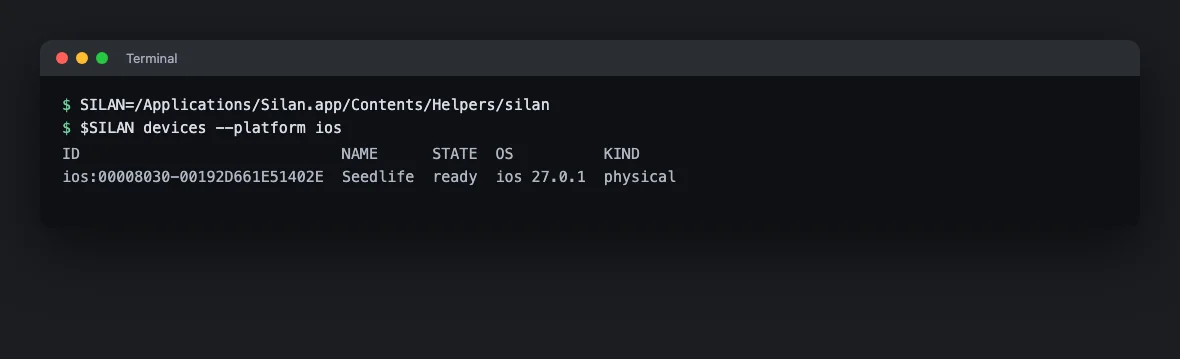
SILAN=/Applications/Silan.app/Contents/Helpers/silan, then$SILAN devices. -
No key to set up. On this Mac
silanreads the engine’s port and its local key file from~/Library/Application Support/Silan/engine.json. Only your user can read that file. To reach another engine or use another key, set--urlorSILAN_URL, and--keyorSILAN_API_KEY. If the engine is stopped,silanwakes it. -
Pick the output. Add
--jsonbefore the command to get the engine’s answer as JSON instead of words:silan --json devices.
Try it
Section titled “Try it”Five commands, start to finish, on a phone or a simulator. Take the device id from the first one.
silan devicessilan observe ios:00008120-001A2B3C4D5E6F70 --elements interactivesilan launch ios:00008120-001A2B3C4D5E6F70 com.apple.Preferencessilan tap ios:00008120-001A2B3C4D5E6F70 --text "General"silan wait ios:00008120-001A2B3C4D5E6F70 --text "About" --timeout 5000devices lists each device with its id, name and state. observe prints the elements you can act on, each with a ref such as e12@snap_7f3a, and --save FILE keeps the screenshot. launch opens Settings. The first launch of an app that is not on your allow list waits for your yes in Silan. tap presses the row that says General. wait returns as soon as About is on screen, or fails when 5 seconds pass.
A target is --text, --id, --role or --description, with --match exact|contains|regex|caseInsensitive and --index N, or --ref from the last observe, or --at X,Y. To stop every agent on every device from the shell, run silan stop, and silan resume to let held tasks go on.
Exit codes
Section titled “Exit codes”| Code | Meaning |
|---|---|
0 |
Success |
1 |
The command failed |
2 |
Wrong usage. silan help prints the usage |
3 |
No engine answered |
4 |
The engine refused the key |
Limits
Section titled “Limits”silan keys create,keys listandkeys revokeare in the usage, but making or revoking keys needs the admin right, which no key has, so the engine answers403. Make and revoke keys on the Connections page.silan runfor flows is in the usage but answersthe scenario engine is not available in this engineon the current release (seen 4 Nov 2026 against a real engine). Run flows from the app and collectjunit.xml,report.jsonandindex.htmlfrom the run folder, see Export a JUnit report.- Taps, typing and the element tree need a phone on the Developer way, a simulator or an emulator. On the Simple way there is no element list, so
observehas no elements and a target by text is not available. - A person’s own step holds a device for 30 seconds after it, and the
silancommand counts as you. An agent’s call in that time answersDEVICE_LEASED. silanneeds the Silan app and its engine on this Mac. There is no headless or CI use.silan mcpwith no key speaks to the engine over XPC and asks you on the first call. With--keyorSILAN_API_KEYit uses the HTTP listener and asks nothing. See Any MCP client.