Use cases
Sign-ins without the agent seeing the password
Most useful tasks run into a login. Nobody wants to paste a password into a chat, and nobody wants a model to read it off the screen. In Silan the agent never sees a password and never types into a password box itself. It asks for an item by name, you say yes, and Silan types the value from your Mac’s keychain, 1Password or Bitwarden. When you would rather sign in yourself, the agent hands the phone to you and waits.
A worked example
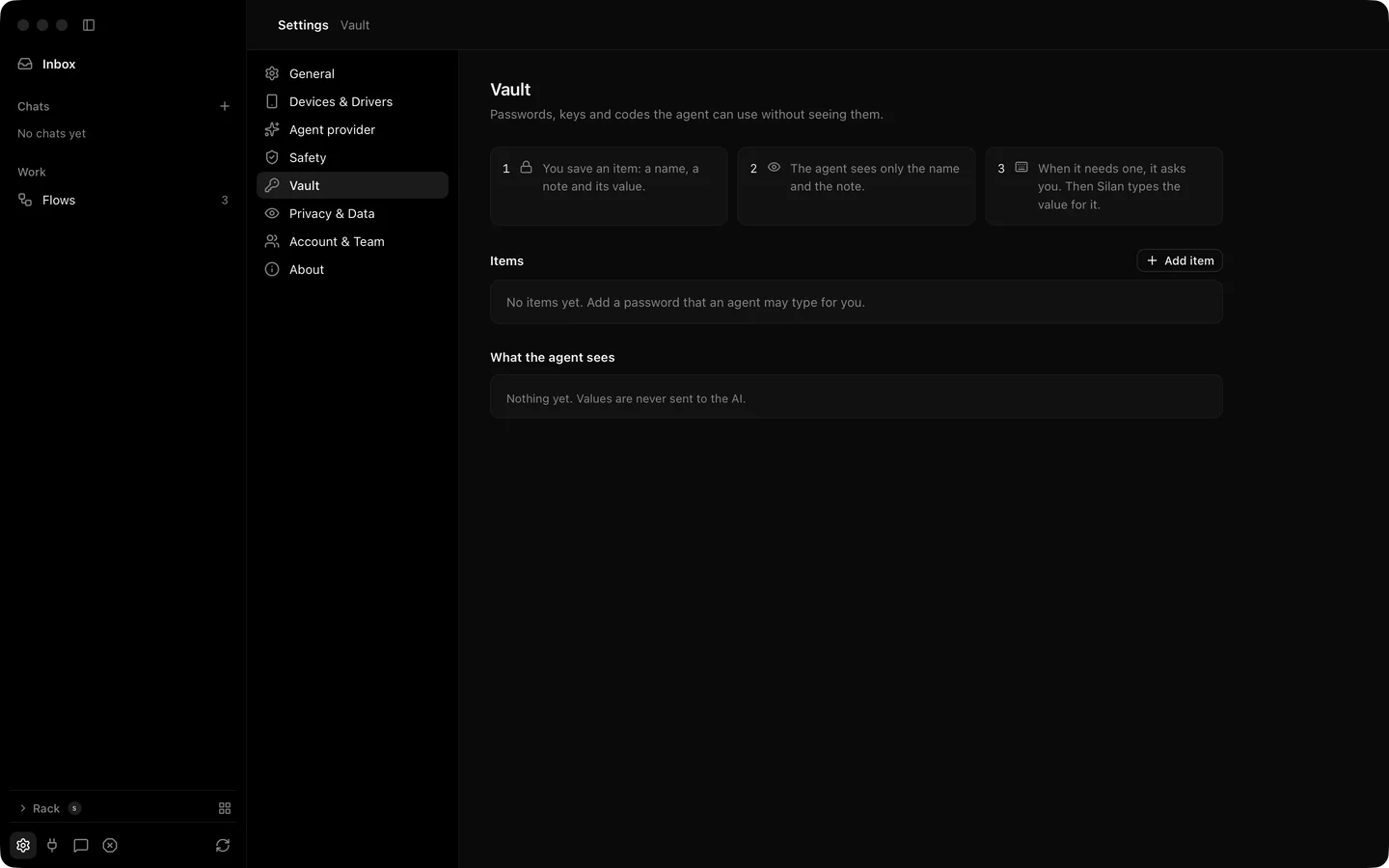
Section titled “A worked example”In Settings › Vault you save an item named MegaMart test password, with the note the password of the MegaMart test account and MegaMart as the only app it may go into. Then you send:
Open MegaMart, sign in with my Vault item MegaMart test password, and tell me what is in the cart.
The agent opens MegaMart, taps Sign in and puts the password box in focus. It calls fill_credential with the item’s name. A card asks you: Type “MegaMart test password” from your Vault? with Just this once or For this chat. You press Allow. The live picture shows dots appearing in the box. The step reads Typed "MegaMart test password" with from your Vault · value hidden. The agent taps Log in and reads the cart.
If the site uses a one-time code and you set that up in 1Password or Bitwarden, the agent asks for the code the same way. If you would rather type everything yourself, the agent calls request_person_login, the chat says the phone is yours, you sign in on the phone, press Hand back, and the agent goes on.
- Open Settings › Vault and add an item. Give it a name, a note for the agent, a type (Password, Key or Text), the apps it may go into, and when Silan asks: every time, once per chat, or not (Vault).
- For 1Password or Bitwarden, install their command-line tool and sign it in. Silan reads items through it the same way. One-time codes are an opt-in per site.
- In a task, name the item:
sign in with my Vault item NAME. From your own agent, callfill_credentialwithsiteandfield(username,passwordoroneTimeCode). See fill_credential. - Answer the ask card. Allowed for now in Settings › Safety lists the answers Silan remembers.
- To sign in yourself, let the agent call
request_person_login, or press Take over (request_person_login).
What the agent gets: the item’s name and note, and the words value hidden. Masked text on the screen reaches it as dots. Screenshots and screen recordings paint password boxes black. Typing into a password box is refused for every actor but you, and a Password item goes only into a password box (Safety).
What is supported today
Section titled “What is supported today”| What | Status |
|---|---|
| Vault items in the Mac’s keychain, typed by Silan on your yes | Supported |
| 1Password and Bitwarden items through their command-line tools | Supported |
One-time codes from 1Password or Bitwarden with field: "oneTimeCode" |
In testing (works in tests, not yet proved on a phone) |
Hand the login to you with request_person_login |
Supported |
| Password boxes black in screenshots and recordings | Supported |
| Reading a one-time code from the phone’s messages | Not available, and not planned as a feature |