Integrations
Silan is a device station for AI agents. Three kinds of things connect to it. An AI app you already use connects with one click from the Silan app. Your own agent or test tool speaks MCP, REST or WebDriver to the engine on this Mac. And you, or a script, drive devices from the command line. Every way goes through the same engine and the same safety rules: the agent asks before it pays, sends, posts or deletes, Stop Everything is Control Option Command Period, and passwords stay in the Vault, where no agent sees them.
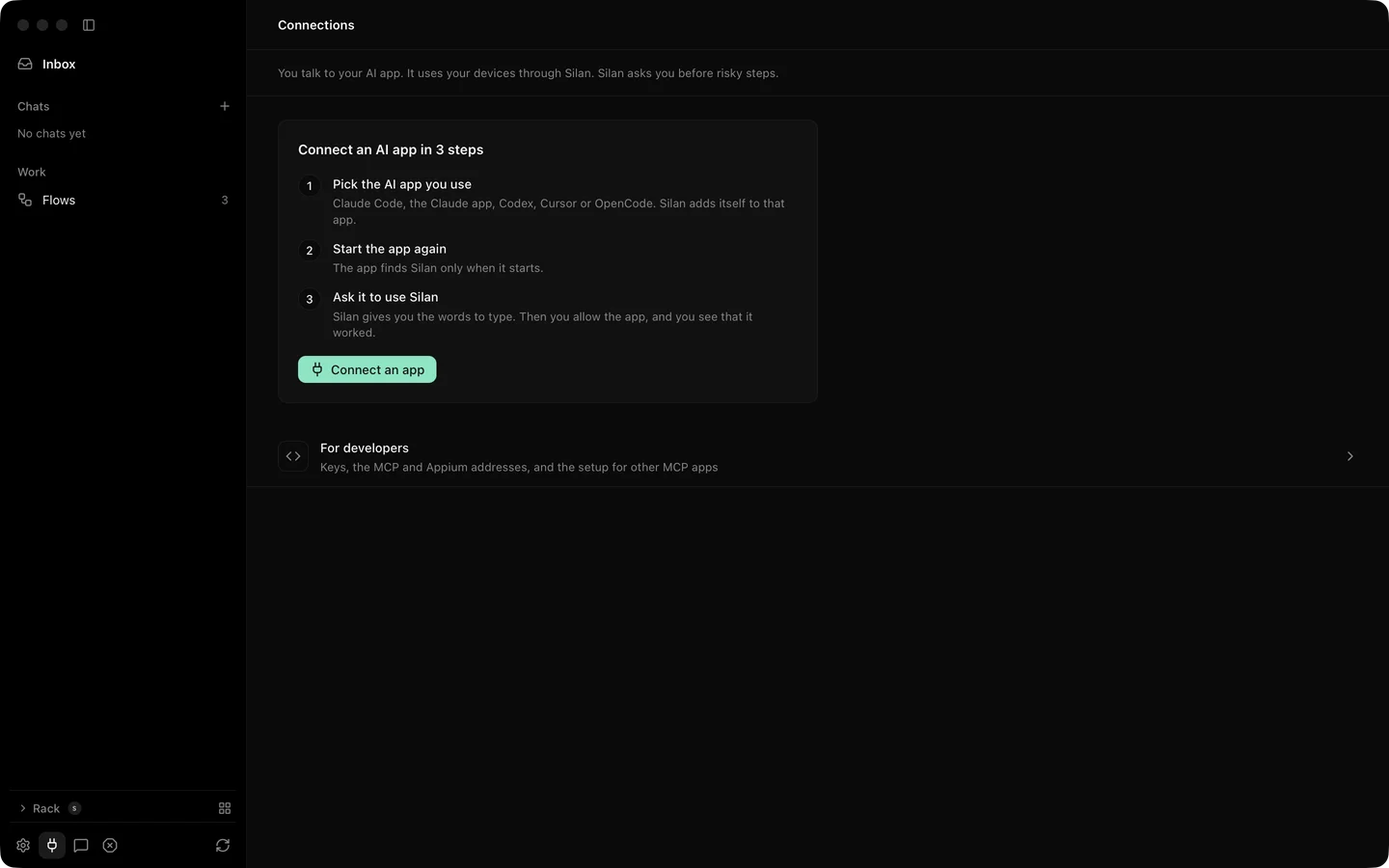
What connects today
Section titled “What connects today”| Integration | Status | What you get |
|---|---|---|
| Claude Code | Supported | One-click Connect or the Silan plugin, 16 or 27 tools, a first Allow question |
| Codex | Supported | One-click Connect into ~/.codex/config.toml |
| Cursor | Supported | One-click Connect into ~/.cursor/mcp.json |
| OpenCode | Supported | One-click Connect into ~/.config/opencode/opencode.json |
| Claude desktop app | In testing | A Connect row and an MCP bundle, not yet proven |
| Any MCP client | Supported | The setup text to paste, or the HTTP /mcp listener with a key |
| REST API | Supported | 64 operations at http://127.0.0.1:47800/v1 with Bearer keys |
| WebDriver endpoint | Supported | An Appium-style endpoint at /wd/hub, not a full Appium server |
| Command line | Supported | The silan command inside the app |
| Python library | Coming soon | In the repository, not published |
| Build your own agent loop | Supported | Three small phone agents on your own model |
The status words mean this. Supported: the code is in the current release and a Silan worker or the owner proved it, on a real device, a simulator, an emulator, or on a Mac with no phone where the integration itself needs none. In testing: the code is in the release, but nobody has proved it on a real device yet. Coming soon: planned, not in the release.
One proof is still owed across every AI app on this list: a connected app acting on a real phone from start to end. Each Connect proof so far ran with no phone attached, and the phone proofs ran with Silan’s own tools over MCP and REST. The pages say so where it matters.
Which page to read
Section titled “Which page to read”- You use Claude Code, Codex, Cursor or OpenCode: open its page. Connect takes one click, then a restart of the app.
- You use another AI app that speaks MCP: Any MCP client.
- You write your own agent: Any MCP client for MCP, REST API for plain HTTP, and Build your own agent loop for a complete example on your own model.
- You run app tests: REST API or the WebDriver endpoint, with the
testingtool set on MCP. - You want a quick look from Terminal: Command line.
What every integration shares
Section titled “What every integration shares”- The engine listens on this Mac only, at
127.0.0.1and::1. Nothing is open to the network. - An app you connect from the Silan app needs no key. Silan names it from the code signature of the program that started
silan mcpand asks you once: Allow, Allow this time or Don’t allow. - Your own programs use a key that starts with
silan_sk_. You make it on the Connections page, under For developers, and see it once. - A risky step waits for your yes in Silan. REST answers
202, MCP answersAPPROVAL_REQUIRED, WebDriver answers500. After your yes, the same call works. - Every device call can carry a lease, so two agents never drive the same device at once.
The tool list, the loop an agent runs and the skills are on Use Silan from your agent. The generated references are MCP tools, REST API and Command line.