Features
Safety and approvals
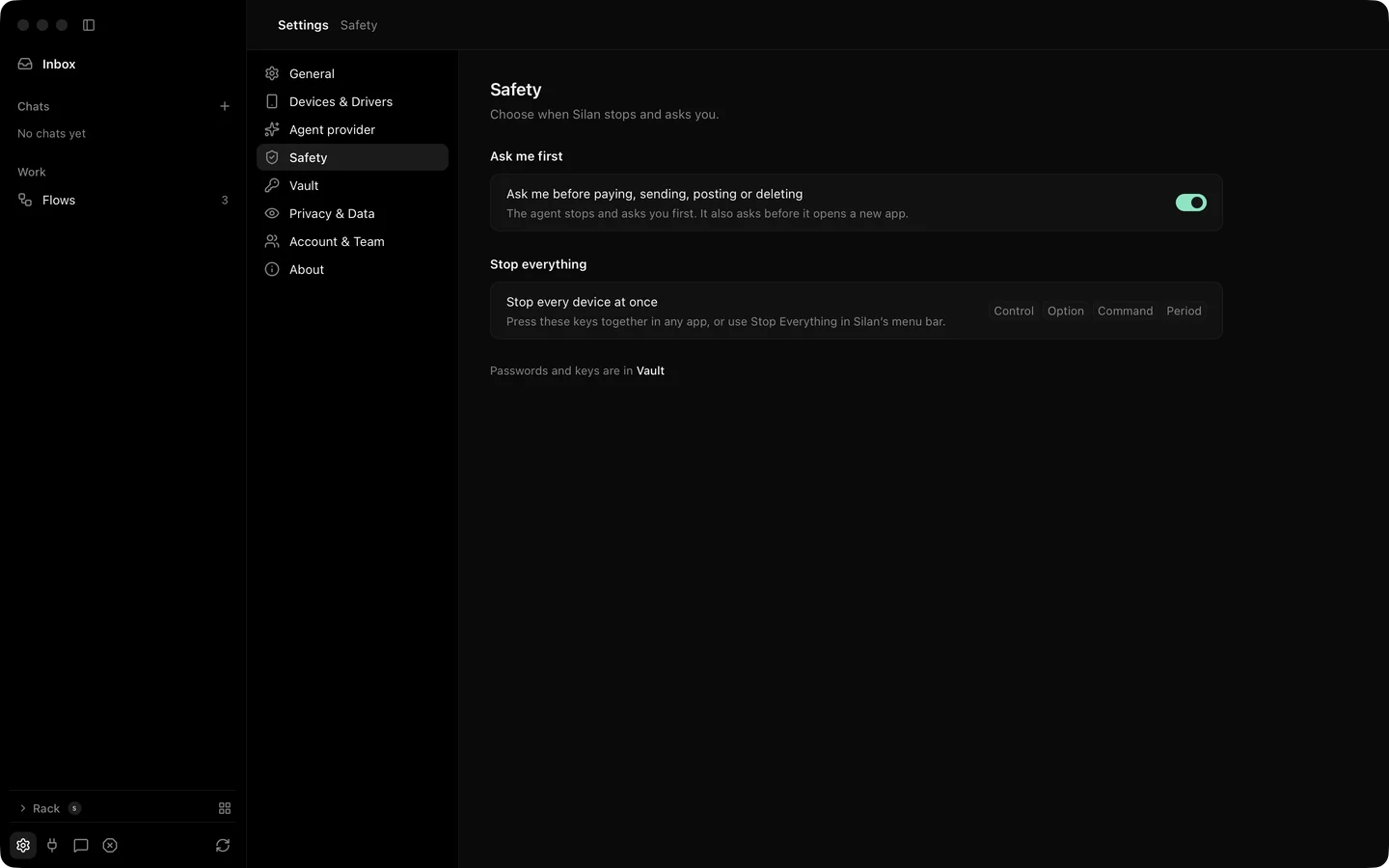
Silan has one safety switch, Ask me before paying, sending, posting or deleting, in Settings › Safety. This page is the detail behind it: when an ask fires, what the answers cover, what the agent may never type, and what happens to the phone while it waits. The safety overview is the short version.
What it does
Section titled “What it does”An ask fires when the agent, a run or a connected app is about to tap something whose words mean pay, send, post or delete. Silan reads the button’s words in seven languages, and treats a bare price, Donate and Free Trial as paying, and Discard, Erase, Move to Trash and Clear History as deleting. The ask shows up as a card in the chat and as a notice.
| Answer | What it covers |
|---|---|
| Just this once | This one tap. |
| For this chat | Every ask from this app for the rest of the chat. In a run it reads For this task. |
| Every ask from this app for an hour, in any chat. Not offered for installing an app. |
What you allowed shows in Settings › Safety › Allowed for now with Remove on each line. A connected app’s own ask to use Silan has no Just this once.
While an ask waits, the phone is free. Another task or a person can use it in the meantime, and the ask expires after 5 minutes. If the screen changed before you said yes, the tap is refused with STALE_ELEMENT and nothing is sent.
Some things never ask and some are always refused:
- Taps on a tab bar never ask.
- Typing into a search box and submitting it never asks. Submitting any other box asks under the send rule.
- Typing into a password box is refused for the agent, a run and a connected app. Only the person may, and the Vault fills passwords without showing them.
- A connected app cannot read or change the safety settings. Its calls get
FORBIDDEN.
Stop Everything, Control Option Command Period, stops every action on every device and holds every task and run. It is described on the control page.
Step by step
Section titled “Step by step”- Leave the switch on in Settings › Safety. It is on from the first start.
- When a card appears in the chat, read the button’s words and the picture under it.
- Pick Just this once, For this chat or
for 1 hour . - To take an hour back, open Settings › Safety › Allowed for now and click Remove.
- Turn the switch off only on a phone that holds nothing of yours. Then the agent taps without asking.
From an agent, an ask arrives as APPROVAL_REQUIRED over MCP and as a 202 with the approval in the body over REST. The agent waits on get_approval and tries the tap again after your yes. See get-approval and the safety REST group.
Limits
Section titled “Limits”- The switch is one switch. There is no per-app or per-word setting.
- The risky-tap ask with the switch on, For this chat, the field-kind rules, tab taps, amounts on the ask card and the ask words in each language were proved with no device or from recorded screens. Not yet proved on a real device.
- An approval given to a connected app covers that app’s calls, not the person’s own taps.