Integrations
REST API
The engine’s REST API is 64 operations on this Mac, described by one OpenAPI 3.1 document. The MCP tools are generated from the same operations, so what an agent can do over MCP your program can do over HTTP. Status: supported. Proven on an iPhone 11 (iOS 27) on a cable: the device list, a launch that waited for the person’s yes, and a screenshot. The generated REST reference lists every operation.
- Find the address. The base is
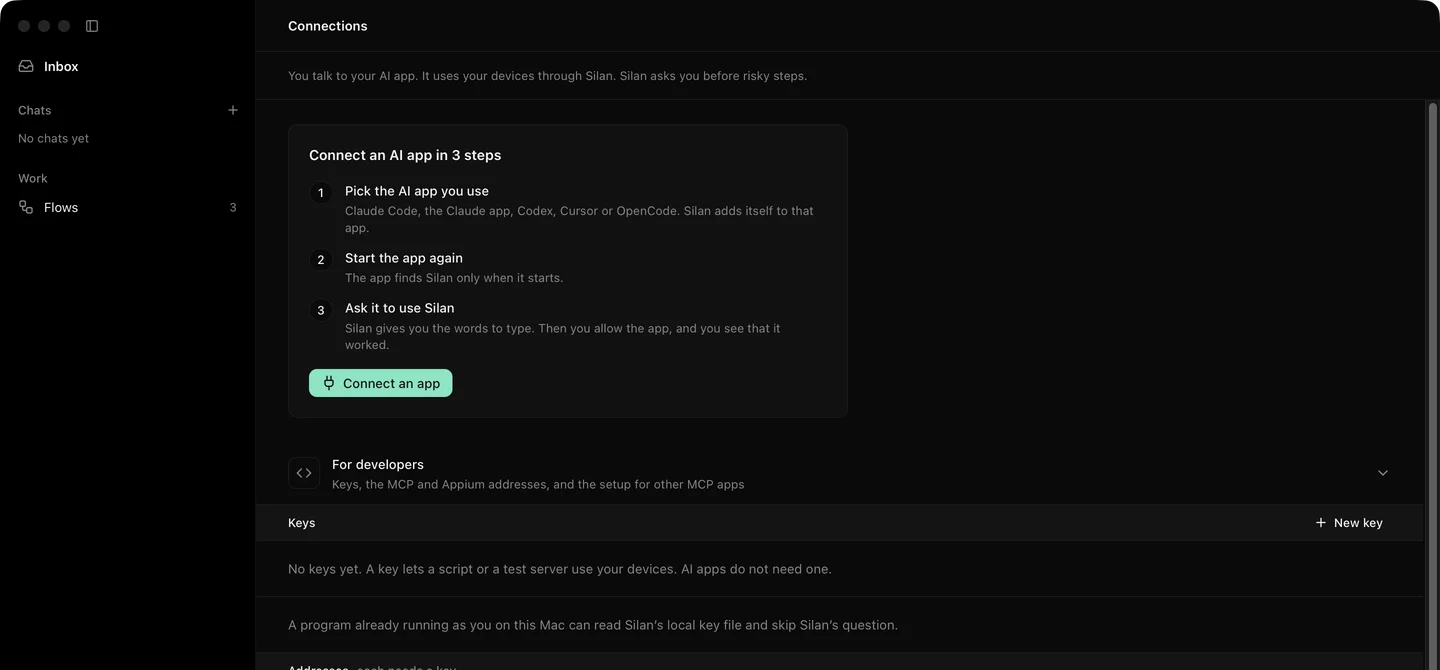
http://127.0.0.1:47800/v1. The engine takes port 47800, or a free one when that is taken, and writes the real port to~/Library/Application Support/Silan/engine.json. It listens on127.0.0.1and::1only. - Make a key. Open Connections in Silan’s sidebar, open For developers, press New key. Name it, pick every device or some, and an expiry (30 days, 90 days, 1 year or never). Press Make key and copy it now: it shows once and starts with
silan_sk_. The engine keeps a salted hash, never the key. Thesilancommand has akeys createsubcommand, but making a key needs the admin right, which no key has, so the engine answers403: make keys in the app. - Send the key on every call as
Authorization: Bearer silan_sk_.... OnlyGET /v1/healthneeds no key. - Mind the Origin rule. A request that carries an
Originheader is refused with403unless the origin is on the engine’s allow list. This keeps a web page from calling the engine.
Conventions
Section titled “Conventions”| Convention | What it means |
|---|---|
| Errors | RFC 9457 problem documents, application/problem+json, with a stable code such as TARGET_NOT_FOUND (422), DEVICE_LEASED (409), APPROVAL_REQUIRED or UNAUTHORIZED (401). A failed action never returns 200. |
| Approvals | A step that needs your yes answers 202 with an approval object, state pending. Say yes in Silan, then send the same call again. |
Prefer: respond-async |
Any device call accepts it and answers 202 with a job. Poll GET /v1/jobs/{jobId}. |
| Leases | POST /v1/leases with deviceIds (or a selector), ttlSeconds (10 to 86400, default 600), waitMs to wait in line, and a short task. It answers 201 with a token. Send it as the Silan-Lease header on device calls. A device under someone else’s lease answers 409 DEVICE_LEASED. DELETE /v1/leases/{leaseId} gives the devices back. |
| Targets | A tap or a wait names an element by text, identifier, role or a description, with match and index, by a ref from the latest observation, or by a point. |
| Observation | An action answers with a fresh observation by default, so one call does a step and shows the result. |
Try it
Section titled “Try it”List devices:
KEY=silan_sk_...curl -s -H "Authorization: Bearer $KEY" http://127.0.0.1:47800/v1/devicesClaim one for 10 minutes and keep the token:
curl -s -H "Authorization: Bearer $KEY" -H 'Content-Type: application/json' \ -d '{"deviceIds":["ios:00008120-001A2B3C4D5E6F70"],"ttlSeconds":600,"task":"Checkout test"}' \ http://127.0.0.1:47800/v1/leasesTap a button by its text, with the lease:
curl -s -H "Authorization: Bearer $KEY" -H "Silan-Lease: $LEASE_TOKEN" -H 'Content-Type: application/json' \ -d '{"action":{"type":"tap","target":{"text":"Checkout"}}}' \ http://127.0.0.1:47800/v1/devices/ios:00008120-001A2B3C4D5E6F70/actionsThe first call answers {"devices":[...]} with each device’s id, name, platform and state. The second answers 201 with id, token, deviceIds and expiresAt. The third answers 200 with the action’s result and a fresh observation, or 422 TARGET_NOT_FOUND when no element says Checkout. A launch of an app that is not on your allow list answers 202 and waits for your yes in Silan.
Limits
Section titled “Limits”- Proven on a real phone for the device list, a launch with an approval, and a screenshot. Taps, typing and the element tree need a phone on the Developer way or a simulator or emulator. On the Simple way there is no element list, so a target by text is not available there.
- Keys cannot be made over REST. Make them in the app.
- A person’s own step holds a device for 30 seconds after it. In that time a key’s call answers
409 DEVICE_LEASED. Wait, then call again. - The key’s reads and actions show in Activity as an agent’s, under the key’s name.
- Scenarios over REST are a preview that is not tested yet. Do not rely on them in CI.
- The REST API is on this Mac only. There is no headless or CI use without the Silan app, and no network listener.