Features
Settings
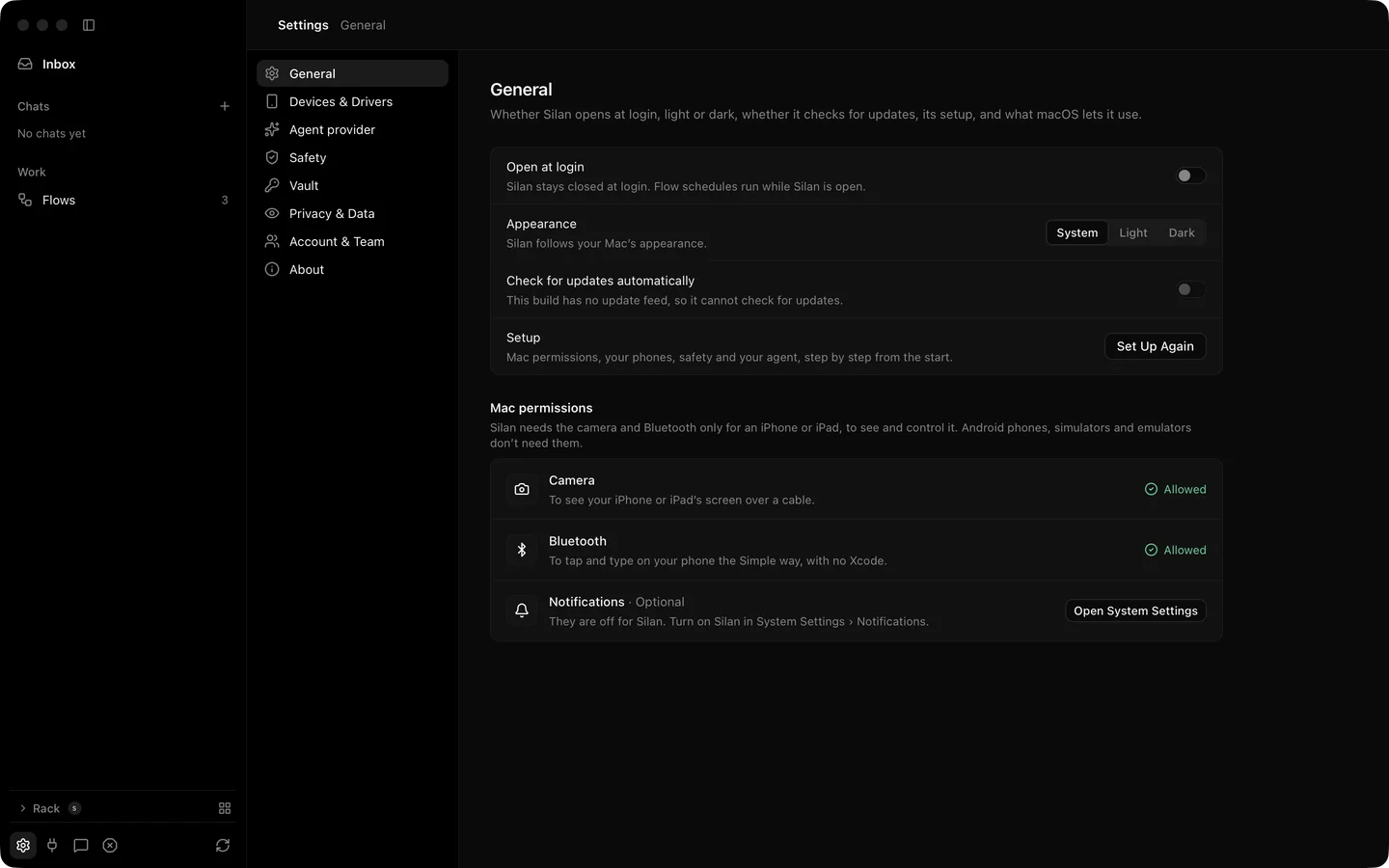
Settings opens with Command Comma from any page. It has eight panes. This page walks them in order, then covers the Help menu, the feedback button and the notices Silan posts on the Mac.
What it does
Section titled “What it does”| Pane | What is in it |
|---|---|
| General | Open at login. Appearance: System, Light or Dark. Check for updates automatically. Set Up Again. Mac permissions for Camera, Bluetooth and Notifications with a fix line when one is missing. Keep this Mac awake when the team link is on. |
| Privacy & Data | Finished runs: 7 days, 30 days, 90 days, 1 year or no time limit. Replay pictures: off, 7, 30 or 90 days. The data folder with Show in Finder. The provider names agent tasks use. |
| Devices & Drivers | The Simple and Developer ways with their steps, and each phone’s driver choice. See devices and drivers. |
| Providers | One row per model provider with its status, Stop after a step limit, and the model that checks the result. |
| Safety | The one switch and Allowed for now. See safety. |
| Vault | Saved sign-in items. See vault. |
| Account & Team | Your team server, sign in and your team. See team. |
| About | The app and engine versions and Copy Details for a Bug Report. |
The daily spend cap for the built-in agent is kept by the engine. It has no row in the current release.
Help menu. Copy Details for a Bug Report puts a redacted text on the clipboard: phone names become Phone 1, Phone 2, ids, keys and emails become ‹…›, and the last 24 hours of errors come along. Uninstall Silan… opens a sheet with Also remove my Silan data. The same works from Terminal:
/Applications/Silan.app/Contents/MacOS/Silan --uninstall --dry-run/Applications/Silan.app/Contents/MacOS/Silan --uninstall --delete-dataFeedback. The icon at the sidebar’s foot, Silan › Send Feedback… and Report a problem… in a chat’s menu all open the same box. It saves a text file under ~/Library/Application Support/Silan/Feedback/. Nothing is sent anywhere in the current release.
Notices. Silan posts four kinds through the Mac’s Notification Center: a task needs you, a run failed or could not run or a time was skipped, a new phone is plugged in and ready, and everything stopped. Clicking one opens the page it is about. The menu bar icon shows how many tasks need you. Control Option Command Period stops everything from any app and never resumes by itself. When the engine is off, an alert offers Start engine.
Step by step
Section titled “Step by step”- Press Command Comma. Pick a pane on the left.
- In General, set the appearance and turn on Open at login if Silan should start with the Mac.
- In Privacy & Data, set how long finished runs and replay pictures stay. Click Show in Finder to see the data folder.
- In Providers, set Stop after so a runaway task stops itself.
- For a bug, open Help › Copy Details for a Bug Report, paste it into your report and read it over first. It is redacted, but it is yours to check.
Settings have no agent or API side. Every call that changes them is refused for a connected app.
Limits
Section titled “Limits”- The feedback box saves a file only. Sending comes later.
- The permission state macOS holds it back, the Uninstall button pressed inside the sheet and the feedback box live in the app were proved by unit tests and offscreen pictures. Not yet proved live.
- The notice banner on screen and its click, and the new-phone notice, are proved by the engine’s posted notice, not by a picture of the banner.