Guides
Run your own relay in 30 minutes
Silan’s team relay carries sign-in, device bookings, approvals and the live picture between the Macs in your team. It is private: there is no shared relay, and each team runs its own. This guide uses the Docker Compose kit from the repo and ends with two Macs on the new server. For the systemd way and every setting, see the self-hosting page.
Time: about 30 minutes, most of it waiting for DNS and your identity provider.
You need:
- A Linux server with 2 vCPU and 4 GB of memory, with Docker and Docker Compose on it.
- A DNS name that points at the server, for example
relay.example.com, with ports 80 and 443 TCP and 443 UDP open. - An OIDC client at your identity provider. A web app, confidential, with a client secret.
- The relay kit from the repo at
relay/deploy/self-host/, copied to the server.
-
Make the OIDC client at your identity provider. Set the redirect URI to
https://relay.example.com/signin/callback, the grant to authorization code, and the scopes toopenid email profile offline_access. The relay needsemail_verifiedto be true in the token. On Entra ID, which does not send that claim, you will setSILAN_RELAY_OIDC_TRUST_EMAIL=yesin step 4. -
Get the relay image onto the server. Either pull the one named in the kit’s
env.exampleassilan-relay:<version>, or build it from the repo:Terminal window docker build -f relay/Dockerfile -t silan-relay:latest . -
On the server, go into the kit folder and copy the two example files.
Terminal window cd relay/deploy/self-hostcp env.example .envcp relay.env.example relay.envIn
.envsetSILAN_RELAY_DOMAINto your DNS name andSILAN_RELAY_IMAGEto the image from step 2. -
Open
relay.envand fill in every line markedCHANGE: the OIDC issuer, the client id, and on Entra ID theSILAN_RELAY_OIDC_TRUST_EMAIL=yesline. Leave the rest as it is. -
Make the two secrets the relay reads from files, and give them to the relay’s user inside the container.
Terminal window mkdir -p secretshead -c 32 /dev/urandom | base64 > secrets/seal_keyprintf '%s\n' 'THE CLIENT SECRET' > secrets/oidc_client_secretsudo chown 10001:10001 secrets/*sudo chmod 600 secrets/*Keep a copy of
seal_keysomewhere safe. It seals what the relay stores, and a new key cannot read old data. -
Check the compose file reads cleanly, then start the relay. The kit’s
Caddyfilefetches the TLS certificate for your domain on the first start.Terminal window docker compose config --quietdocker compose up -ddocker compose ps -
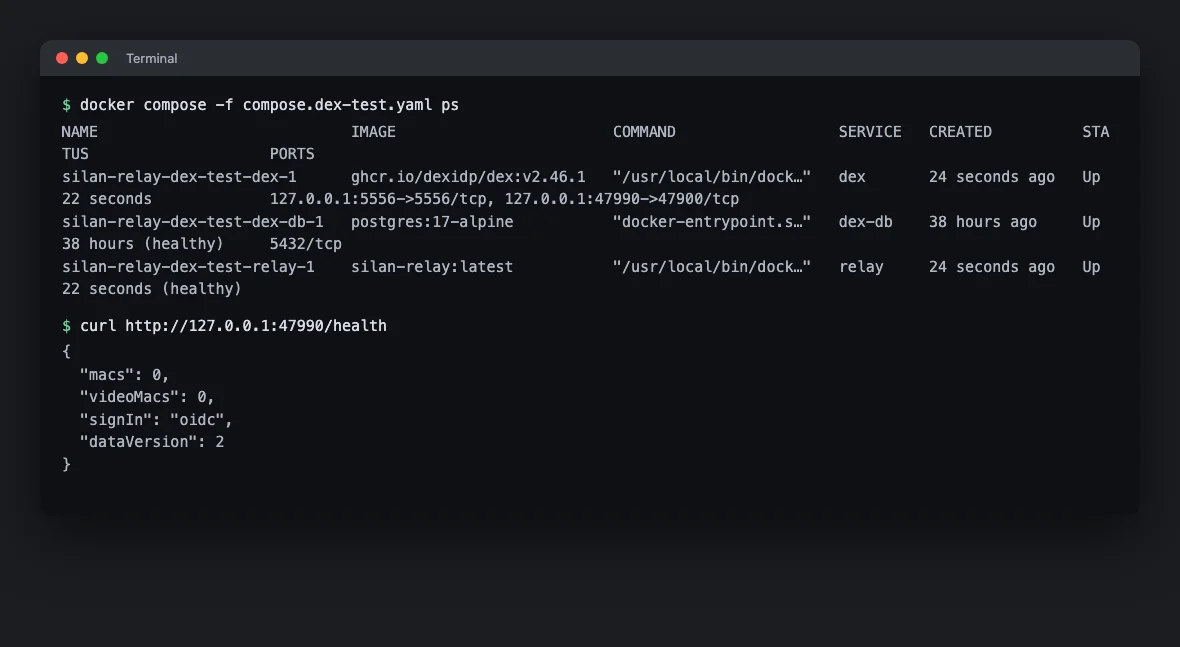
Watch the log for the line that says the hub is up, then ask the health endpoint from any machine.
Terminal window docker compose logs relay | grep "Relay hub listening"curl https://relay.example.com/healthHealth answers with JSON such as
{"macs":0,"videoMacs":0,"dataVersion":…,"signIn":"oidc"}.signInmust readoidc.
-
Decide who may sign up. The kit starts open behind your company sign-in, which is right for most teams. To close it to a list, set
SILAN_RELAY_SIGN_UPS=privateandSILAN_RELAY_ALLOWED_EMAILSinrelay.env, thendocker compose up -dagain. -
Turn on backups before you forget. Set
LITESTREAM_REPLICA_URLto a bucket of yours and start with both files:Terminal window docker compose -f compose.yaml -f compose.backup.yaml up -d
Point your Macs at it
Section titled “Point your Macs at it”- On each Mac, open Silan and go to Settings › Account & Team. Under No team server yet, type
relay.example.comand click Use this server. - Click Sign in. The browser opens your identity provider, you sign in, and Silan shows Server: relay.example.com with your name.
- Make a team, invite a teammate with the invite link, and share a phone. The sharing guide takes it from here. An invite link fills in the server address for the person who opens it, so only the first person types it.
To upgrade later, set the new image in .env, then docker compose pull and docker compose up -d. The relay keeps its teams across a restart.
If something goes wrong
Section titled “If something goes wrong”- Health does not answer. Check that ports 80 and 443 reach the server, and that the DNS name resolves to it. Caddy cannot get a certificate otherwise, and
docker compose logs caddysays why. - Sign-in fails with an email error. The token has no
email_verified: true. Turn the claim on at the provider, or on Entra ID setSILAN_RELAY_OIDC_TRUST_EMAIL=yes. - The browser returns to a wrong page. The redirect URI at the provider must be exactly
https://relay.example.com/signin/callback. - The picture through the relay is choppy. Open 443 UDP as well as TCP. The live picture uses it.