Features
Flows and the flow editor
A flow is a saved list of steps that Silan runs on a phone the same way every time. Steps can be exact (tap this, type that), agent steps (a goal in words), checks, waits and notes. You can write a flow from scratch, keep a finished chat as one, or edit one the app already has. A flow lives as a .silan.yaml file and shows up under Flows with its runs beneath it.
What it does
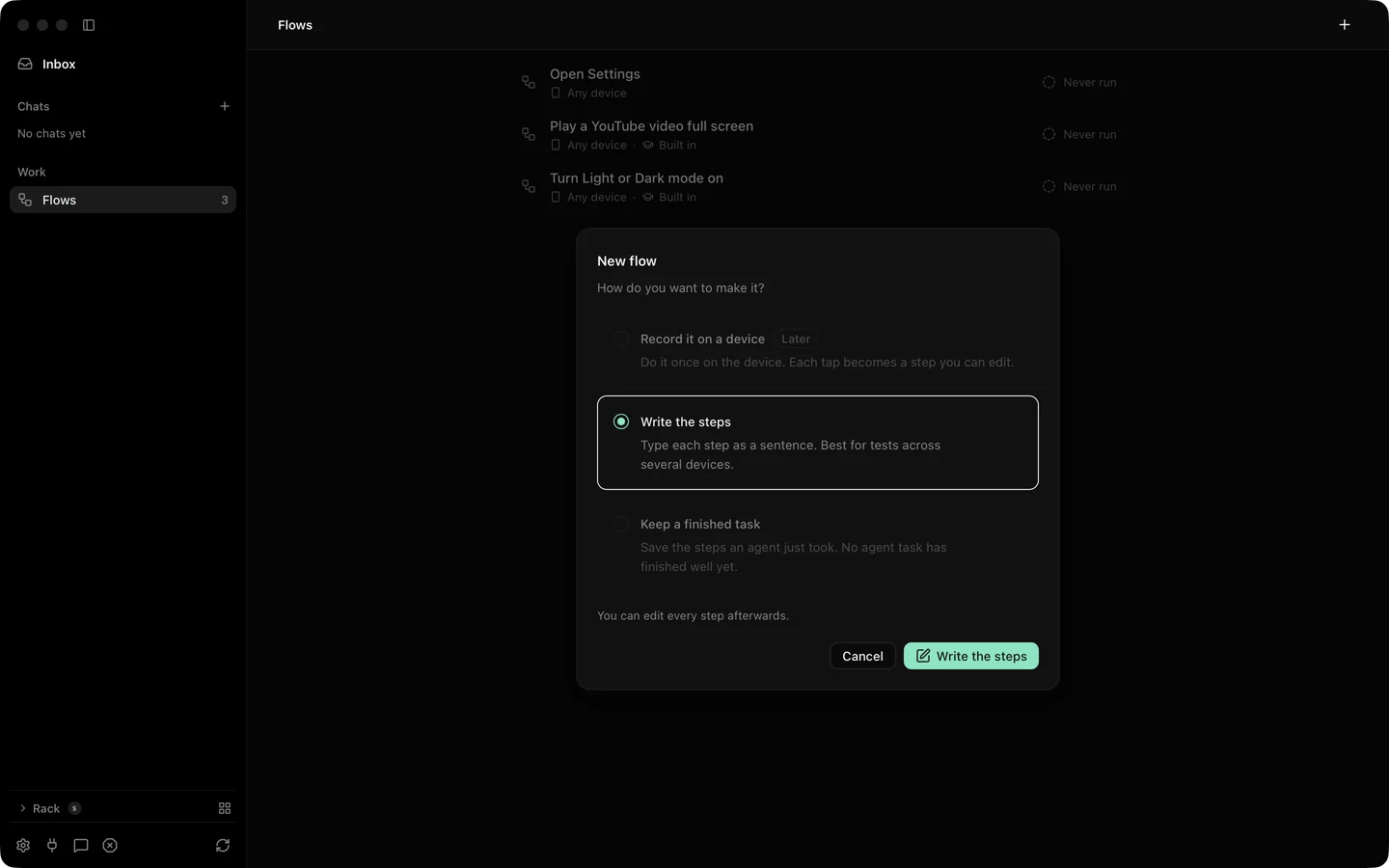
Section titled “What it does”New flow offers three ways in: write the steps yourself, keep a finished task from a chat, or record on a phone, which the current release marks as later. A flow made from a chat keeps a Made from a chat link back to it.
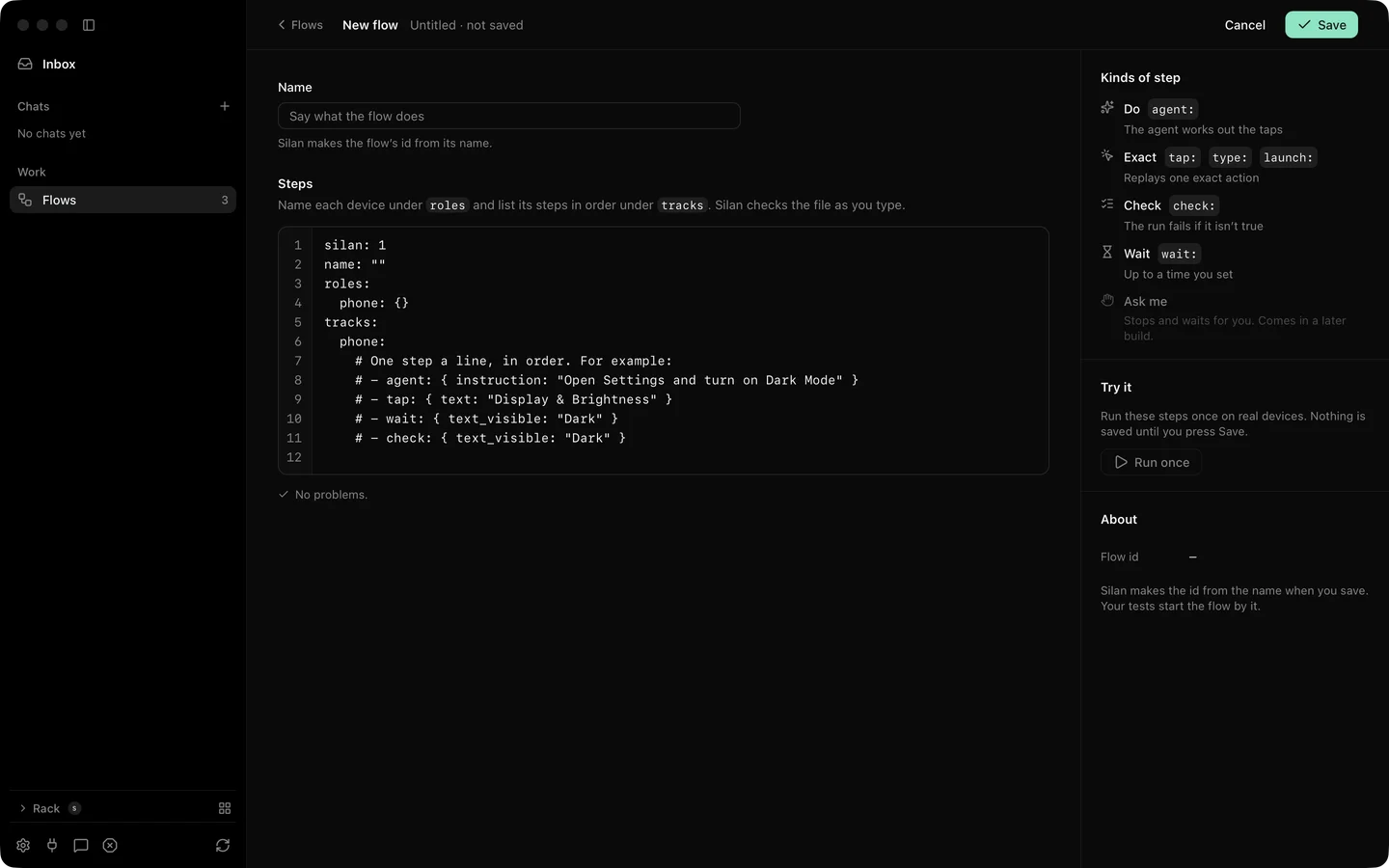
The editor shows the name, the steps with line numbers and problems per line. Problems appear about 300 ms after you stop typing and name the line. Command S saves. If the id you chose is taken, Silan adds -2. Closing with changes asks before it discards them. If the file changed on disk while you edited, Silan offers Load the saved file or Save mine anyway, and tells you when the file was deleted.
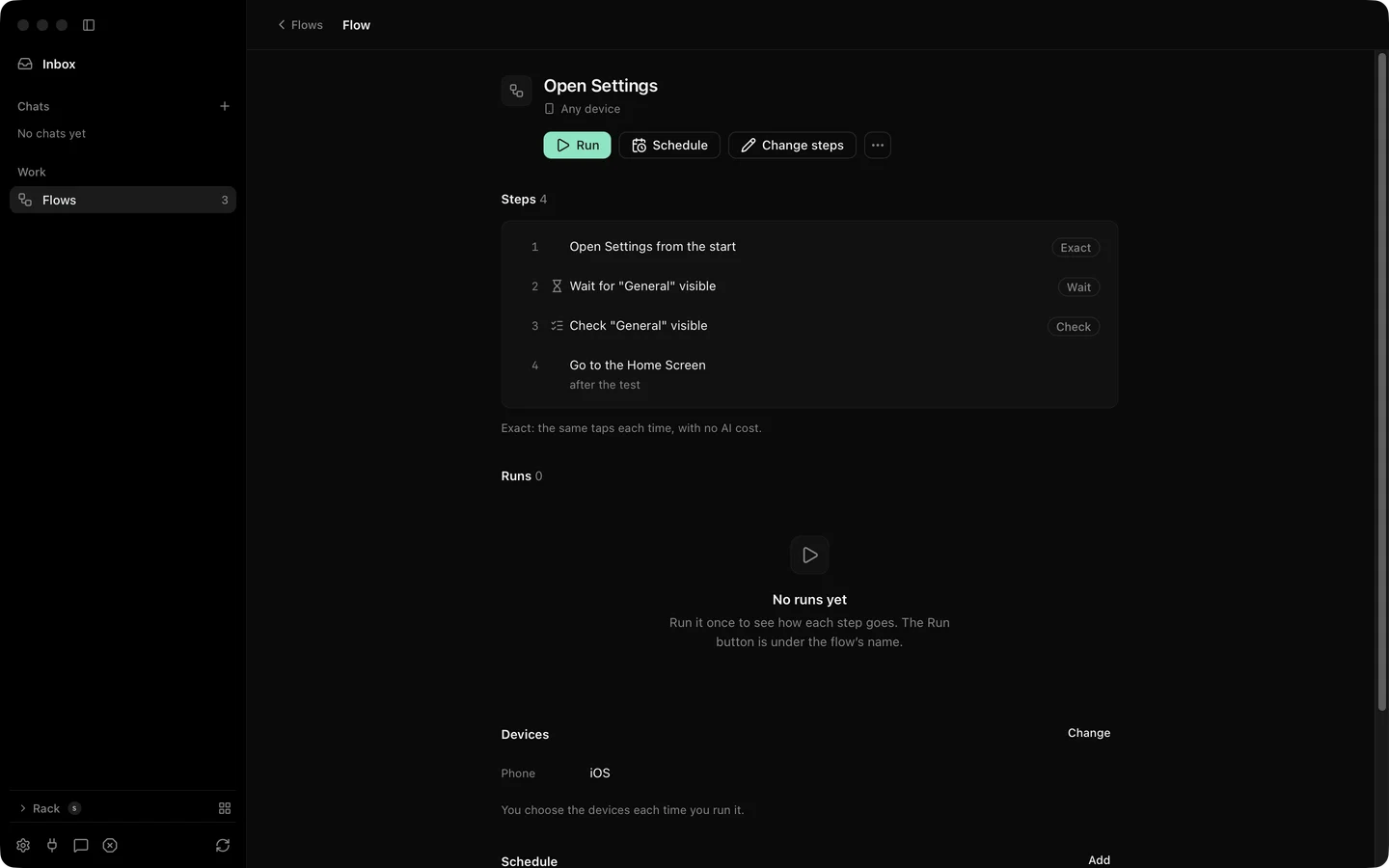
Change steps edits in place without the file view. Each step has a chip for its kind and you can add a step before any line.
| Step kind | What it does |
|---|---|
| Exact | A fixed action: tap, type, swipe, press, launch, open a link. |
| Agent | A goal in words. The agent works it out on the day. |
| Check | Something that must be true on the screen. |
| Wait | Wait for an element or a time. |
| Note | Words for the reader, no action. |
The flow menu has Show the file, Export as a file, Duplicate and Delete flow. Export writes <id>.silan.yaml. Deleting a flow keeps its runs and stops its schedule.
A flow saved from a chat keeps the agent as a fallback. When an exact step no longer matches the screen, the agent takes that step over, finishes it, and the run report marks the step as healed. See test runs.
Step by step
Section titled “Step by step”- Open Flows and click New flow. Pick Write the steps.
- Give it a name. Type the steps. Watch the problem lines and fix them.
- Press Command S. The flow appears in the list.
- Click Run and pick a phone for each role. Watch the run under the flow.
- To change a step later, open the flow and click Change steps, or Show the file for the raw text.
The spec has a silan run <flow>.silan.yaml command and the MCP tools validate_scenario and run_scenario (validate-scenario, scenarios REST group). On the current release the engine answers them with the scenario engine is not available in this engine (seen 4 Nov 2026), and silan mcp does not list the flow tools. Run flows from the app for now.
Limits
Section titled “Limits”- Recording a flow by doing it on the phone is marked later in the current release.
- Save as a flow and replay work with one phone. A chat that used several devices saves the steps for one.
- Change steps in the app, Command S from the app and screen-reader use of the editor were proved by unit tests and offscreen pictures. Not yet proved on a real device.
- A flow’s runs are capped at the newest 200 unless a run is kept. See test runs.