Guides
Connect Claude Code and drive a phone
Silan connects to Claude Code with one click and no settings file to edit. After that, Claude Code lists your devices and acts on them through Silan’s tools, and every risky call comes back to you as an ask in Silan.
What is proved: the one-click Connect with a real Claude Code, with no phone involved, and the device tools driven on an iPhone from a script. A real Claude Code acting on a phone end to end is in testing. The last steps of this guide are the ones still owed a recorded proof.
Time: about 10 minutes.
You need:
- Claude Code installed on the Mac.
- Silan with one device set up.
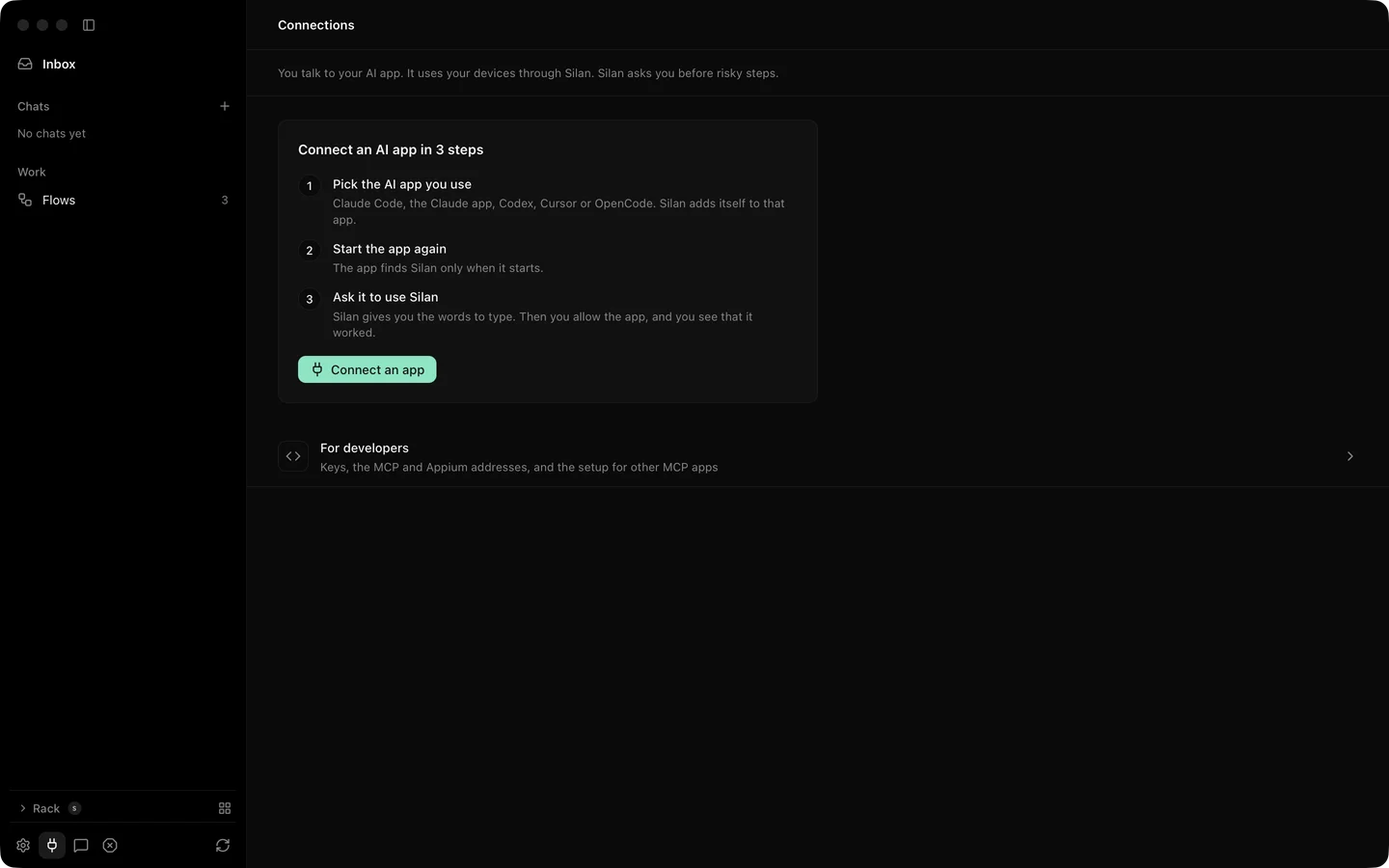
- Click Connections in the sidebar, then Connect an app. Pick Claude Code from the list.
- Answer the question Do you test your own app with Claude Code? Choose Just my devices for the core set of 16 tools, or Test my app for the testing set of 27, which adds app install, test pushes, notifications, location and the other test tools. See the MCP reference for both lists.
- Silan writes the connection. The page now says what to do next: start Claude Code again, then ask it to use Silan.
- In the Terminal where Claude Code runs, type
/exit, then start it again withclaude. On the restart it picks up the new tool server. - Give Claude Code a first prompt:
List my devices, then open Clock on the iPhone and start the stopwatch. - Watch Silan. The first call from Claude Code brings up a consent card: Claude Code wants to use your phones, with the signer’s name under it. Click Allow. Allow this time lets one session through, and Don’t allow refuses calls for ten minutes. The call waits up to 45 seconds for your answer.
- Watch Claude Code. It shows the tool calls it makes: a device list that names your iPhone, then
launch_appfor Clock, then taps or afind_elementscall to reach the stopwatch’s Start button. Its reply names the device and says what it did. - Watch the phone’s live picture in Silan. Clock opens and the stopwatch runs.
- Open Connections again. Claude Code shows as connected, with Manage, Disconnect and New key. The work it did is kept in All chats under the connection’s name.
Asks from a connected app land in the same two places as the built-in agent’s: a card in the chat Silan keeps for that app, and Inbox › Needs you. The one safety switch in Settings › Safety applies to Claude Code’s calls as well: it asks before the phone pays, sends, posts or deletes. See Safety.
If something goes wrong
Section titled “If something goes wrong”- Claude Code does not see Silan’s tools. It was not restarted. Type
/exit, thenclaudeagain. - The call times out. The consent card waited 45 seconds with no answer. Click Allow in Silan and ask Claude Code to try again.
- Don’t allow was pressed by mistake. Silan refuses that app for ten minutes. Wait, or open Connections › Manage and allow it there.
- Claude Code reports no devices. Silan lists only devices you have added. Open the sidebar and check the phone shows as ready, not new or disconnected.