Integrations
Cursor
Cursor reaches your devices through silan mcp, Silan’s MCP server, written into Cursor’s global MCP settings by the Silan app. Status: supported. It is proven with a real Cursor on a Mac with no phone attached: Cursor listed Silan’s 16 core tools. Cursor acting on a phone from start to end is still owed, as it is for every connected app.
-
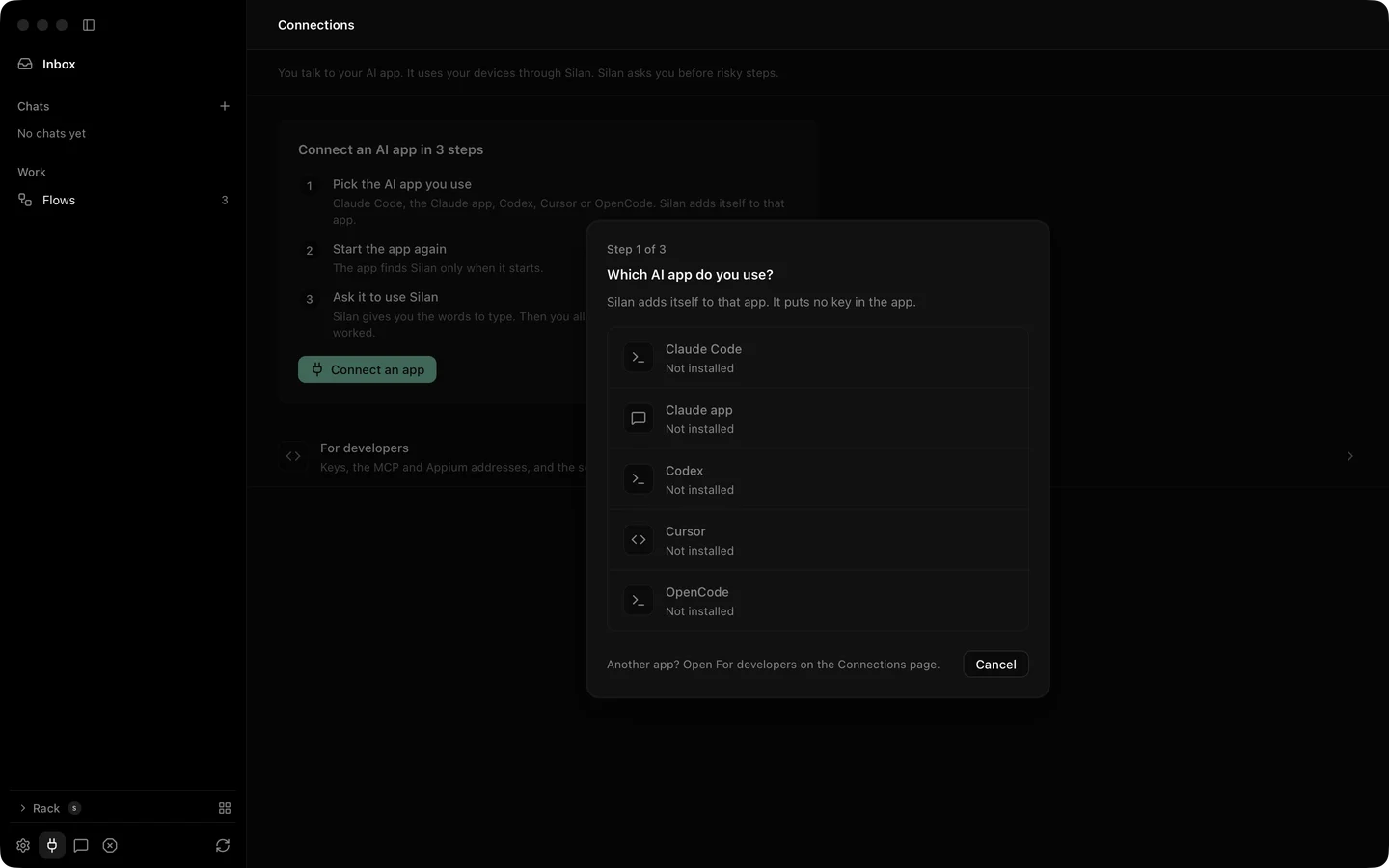
Open Connections in Silan’s sidebar, or setup’s Your AI tools. Press Connect an app, then Connect on the Cursor row. The row shows Connect only when Cursor is on this Mac.
-
Silan asks Do you test your own app with Cursor? Just my devices gives the
coreset of 16 tools. Test my app gives thetestingset of 27, with installs, recordings and test pushes. -
Silan writes one entry,
mcpServers.silan, into~/.cursor/mcp.json:{"mcpServers": {"silan": {"type": "stdio","command": "/Applications/Silan.app/Contents/Helpers/silan","args": ["mcp"],"env": {}}}}Test my app writes
"args": ["mcp", "--profile", "testing"]. Any other server in the file, and its keys, stay byte for byte. The first change keeps a copy at~/.cursor/mcp.json.silan-backup. No key is written. -
Quit Cursor and open it again. Press Command Q, then open Cursor. A Cursor that was open before Connect does not see Silan.
-
In Cursor’s chat, type
Use Silan to list my devices. On its first tool call Silan shows Cursor wants to use your devices, with who signed it. Press Allow, Allow this time or Don’t allow.
Try it
Section titled “Try it”A first prompt for Cursor’s chat:
Use Silan to take a screenshot of my iPhone and describe what is on the screen.You should see Cursor call list_devices, then observe, and describe the screen from the element list and the picture. The first call brings the Allow sheet in Silan. From Cursor’s command line you can also list the tools Silan gives it:
cursor-agent mcp list-tools silanWith the core set it prints 16 tool names, list_devices and observe among them.
Limits
Section titled “Limits”- Cursor acting on a phone from start to end is not yet proved on a real device. The proof so far is the tool list and the written config, with no phone.
- The testing set shows 27 tools over Connect: the five scenario tools are not served over XPC.
- Silan must be open on this Mac to ask you. With Silan closed, the call ends at once with Open Silan on this Mac to allow Cursor.
~/.cursor/mcp.jsonmust be a JSON object, andmcpServersin it an object. Silan leaves any other file alone and tells you to fix it first.- Disconnect on the row takes the
silanentry out of~/.cursor/mcp.jsonand leaves your other servers as they were, withmcpServersempty when Silan was the only one. - A risky step answers
APPROVAL_REQUIREDuntil you say yes in Silan. See Safety.