Features
Schedules
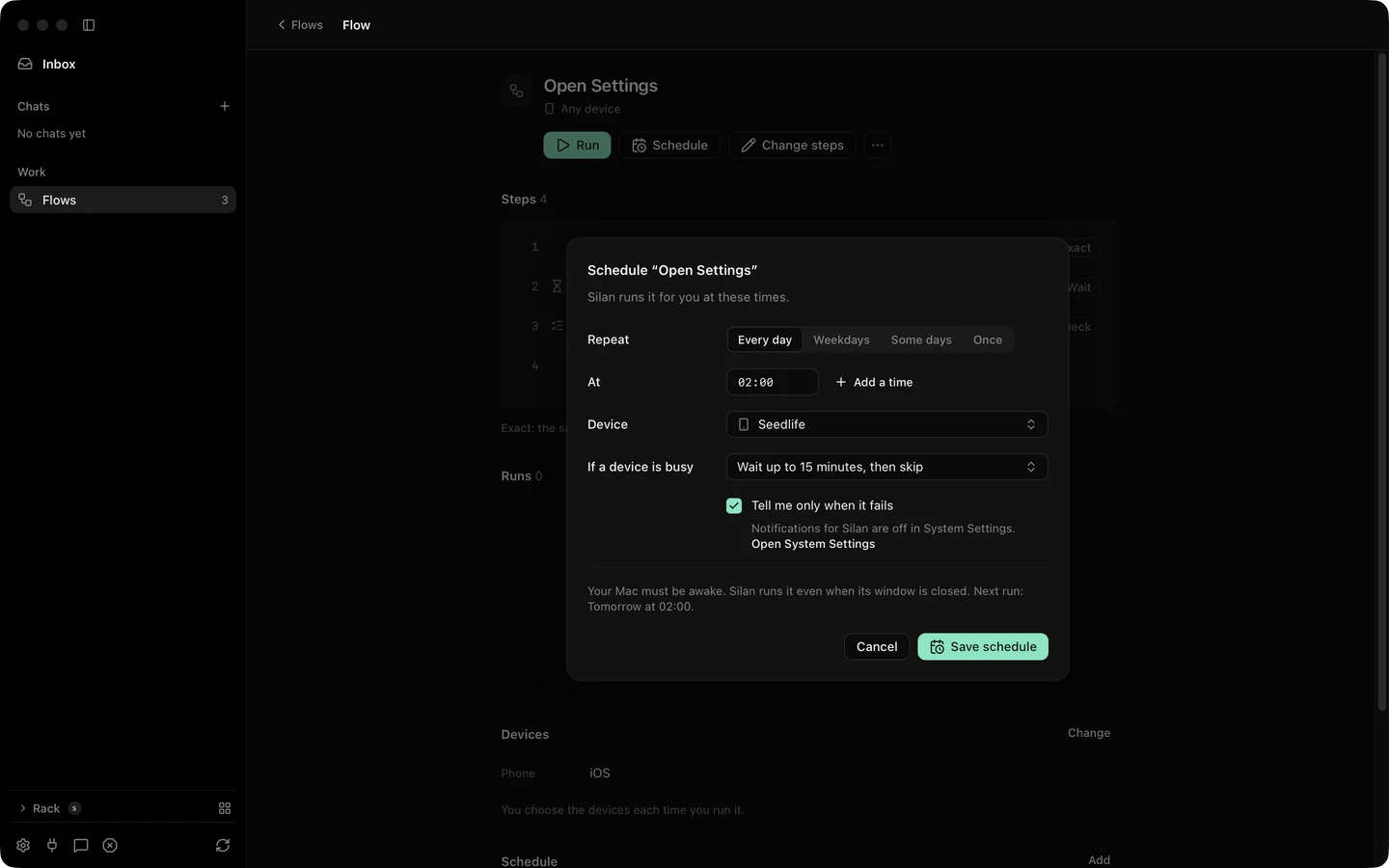
A schedule runs a flow on its own at times you pick on the Mac’s clock. Each flow can have one schedule with up to eight times a day, a phone for each role or any free phone, and a wait rule for when the phone is in use. The flow’s page shows the next time, and the menu bar lists what is coming up.
What it does
Section titled “What it does”| Setting | Choices |
|---|---|
| Days | Every day, weekdays, some days, or once |
| Times | Up to 8 a day, on the Mac’s clock |
| Phones | A named phone per role, or any free phone |
| If the phone is busy | Wait 0 to 240 minutes, then skip with a reason |
| On | A switch to pause the schedule without removing it |
| Tell me only when it fails | On by default, so a passed run makes no notice |
When a time comes and the phone is free, the run starts and its report says it was started by the schedule. When the phone is busy, the run waits in line for as long as the wait rule allows, then runs or is skipped with a reason you can read. A time the Mac missed, for example while asleep, is skipped unless the Mac is back within the wait or two minutes, whichever is longer.
The flow’s page shows Next: … at HH:mm. The menu bar’s Scheduled list shows up to five coming runs with Today, Tomorrow, a date, or Waiting until a phone is free. A skipped time and a failed run both post a notice. See settings for the notices.
Step by step
Section titled “Step by step”- Open the flow and click Schedule.
- Pick the days and add up to eight times.
- Pick a phone for each role, or leave it as any free phone.
- Set how long a run may wait for a busy phone.
- Turn the schedule On. The flow’s page shows the next time. Remove schedule takes it away.
The app’s schedules have no MCP, REST or command-line call, and a connected app that tries is refused. On the current release an agent cannot start a flow run over the API either, since the engine does not serve the flow tools. Runs start in the app.
Limits
Section titled “Limits”- One schedule per flow.
- The menu bar’s Scheduled list is proved by unit tests only. Not yet opened on a real device.
- A time is handled before its run starts, so it never starts twice, also after a restart. Saving a schedule counts only times after now.