Features
Vault and password managers
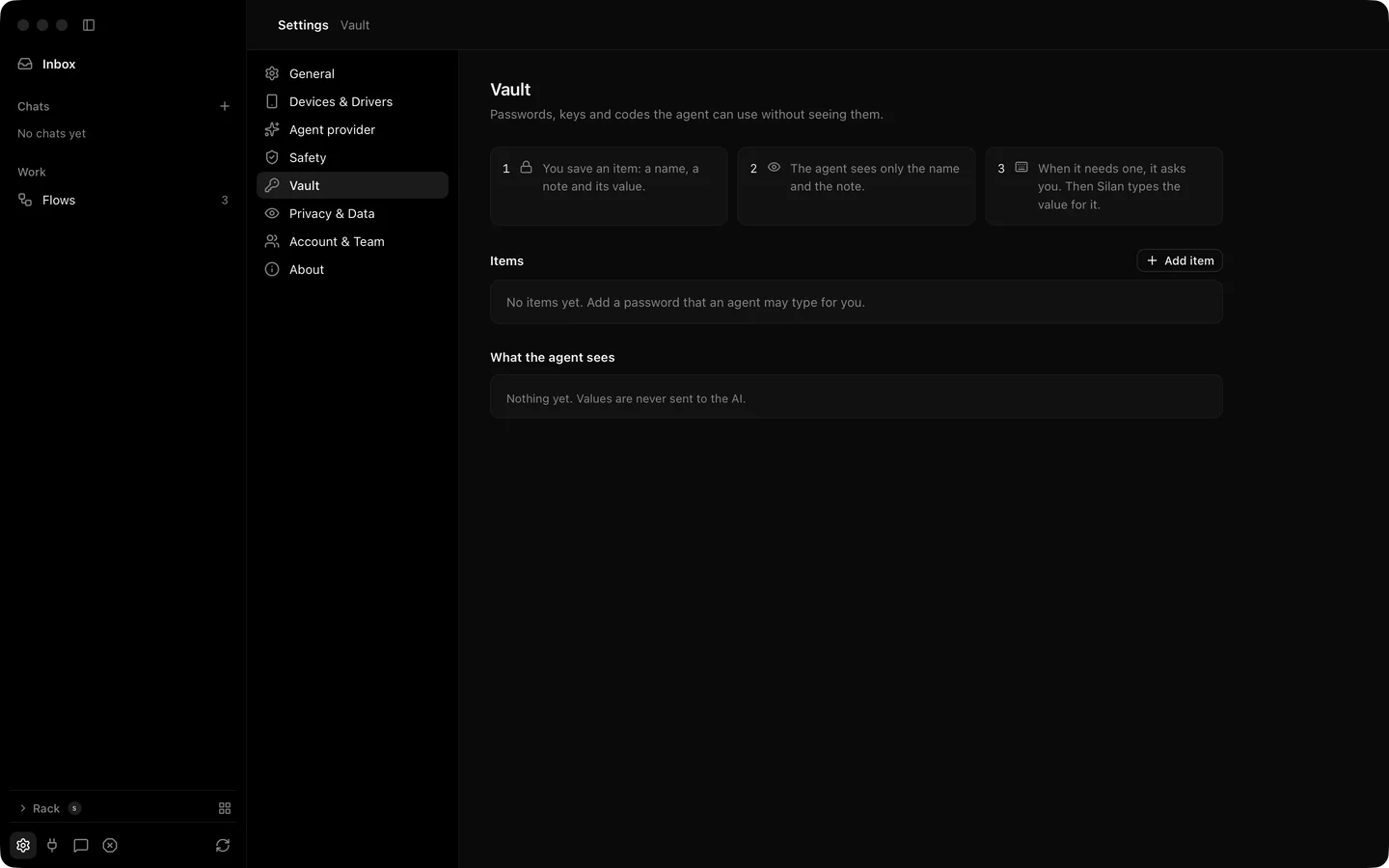
The Vault holds the sign-in details the agent needs, in the Mac’s keychain. When a task reaches a login screen the agent asks Silan to fill the password. Silan types it into the password box and checks the box took it. The value never leaves the keychain, never crosses to the agent, and is masked in every log and picture. If you already keep passwords in 1Password or Bitwarden, Silan can read them through their command-line tools instead.
What it does
Section titled “What it does”A Vault item has a name, a note, a kind (Password, Key or Text), the app ids it belongs to, and an ask rule: ask every time, ask once per chat, or never ask. Settings › Vault has Add item, Edit, See where it was used and Delete…. One hidden kind, the phone passcode, unlocks a phone and answers the passcode box iOS shows when a helper starts. It never appears in the agent’s list.
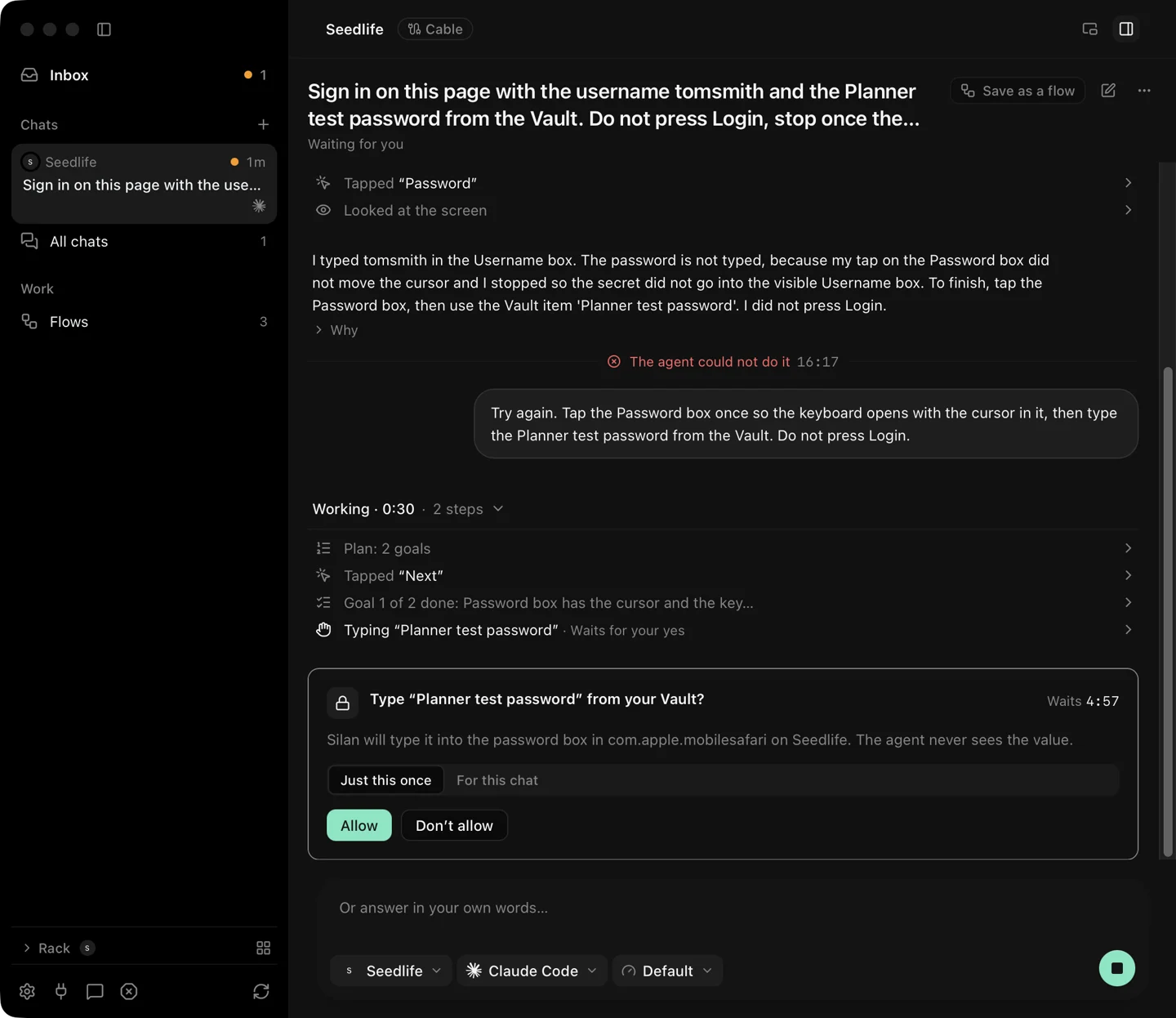
When the agent calls fill_credential, you see a card: Type “NAME” from your Vault? with Just this once and For this chat. After your yes the step reads Typed “NAME” · from your Vault · value hidden, and Silan notes that it checked the password box after the fill. A password goes only into a password box. The agent can have Password items typed, and only those. Key and Text items are typed for the person only for now.
1Password. Silan reads items with the op tool. Turn on 1Password › Settings › Developer › Integrate with 1Password CLI, then 1Password shows its own prompt naming the process that asks. Silan asks for the username, the password and, when you opt in, the one-time password of an item.
Bitwarden. Silan reads items with the bw tool. Run bw unlock, give Silan the session key, and Silan holds it in memory only and passes it to bw through its environment, never on the command line. The health check says when bw is missing or locked.
One-time codes. A code is filled only for sites you list for it. This is a separate opt-in per site. The agent asks for the oneTimeCode field, and Silan fills it only into a box that looks like a code box. Silan does not read codes out of messages on the phone.
Step by step
Section titled “Step by step”- Open Settings › Vault and click Add item. Name it, paste the password, pick the app ids and the ask rule.
- Start a task that signs in. When the agent reaches the login, a card asks to type the item.
- Click Just this once or For this chat. The step shows the item’s name and that the value is hidden.
- For a one-time code, add the site to the one-time code list first.
- Click See where it was used on any item to read its history.
From an agent, list_credential_sites names the sites that have items, and fill_credential with a site and a field of password or oneTimeCode fills it. Never type a password with type_text. When no item exists, request_person_login hands the phone to the person for the sign-in. See fill-credential, request-person-login and the credentials REST group.
Limits
Section titled “Limits”- The agent cannot read any value, ever. It gets only a yes, a no, or a check result.
- Key and Text items are typed for the person only in the current release.
- A one-time code never comes from a message or a mail on the phone.
- 1Password and Bitwarden are read through their command-line tools, which you install and sign in to yourself.
- The password-manager paths were proved by unit tests. Not yet proved on a real device.